

WhoCrafts
Effortlessly syncs professions within your guild. Quick whispers to the member who can make what you are looking for.
Details
Expansion
 Forever
 Categories
Developers

Having issues?
WhoCrafts — Guild Profession Tracking
Your guild knows how to make it. WhoCrafts helps you find who.
WhoCrafts brings your guild’s profession recipes into one searchable library for World of Warcraft: Forever. Find the item you want, see which guildmate can craft it, check the required materials, and start a whisper with the item link already included.
Find the right crafter
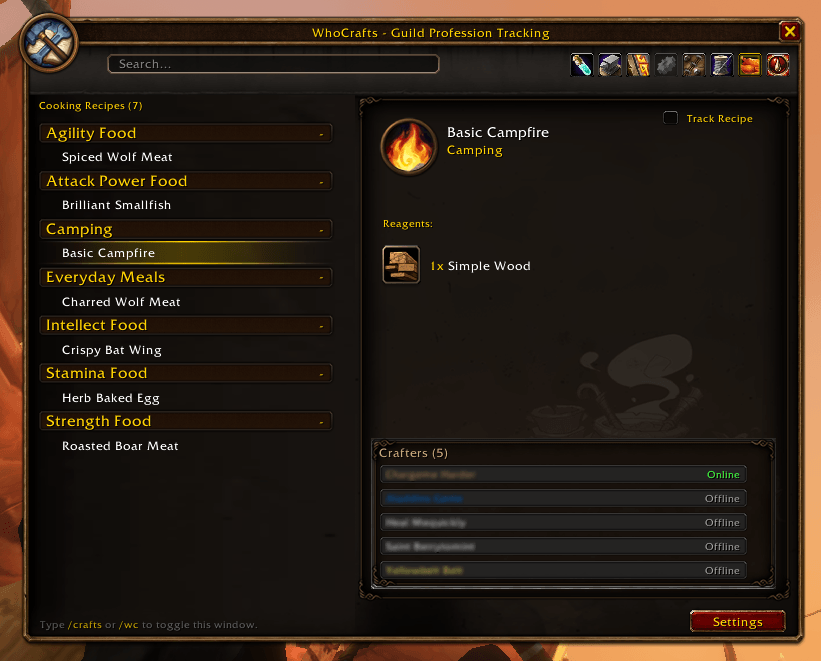
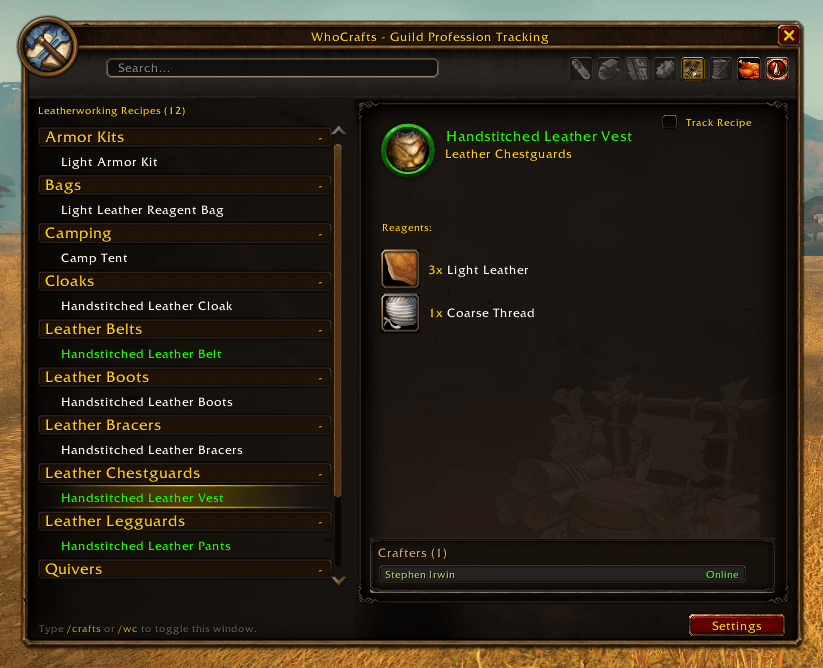
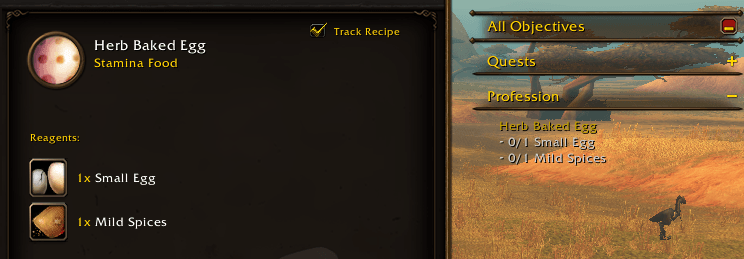
Browse recipes by profession or search for an item directly. Select a recipe to see its details, reagent quantities, and the guild characters who know it. Crafted items use their in-game quality colors when that information is available, making the list easier to scan.
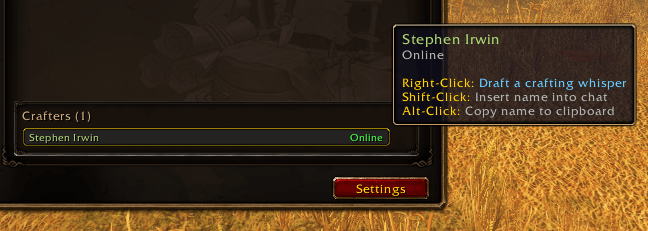
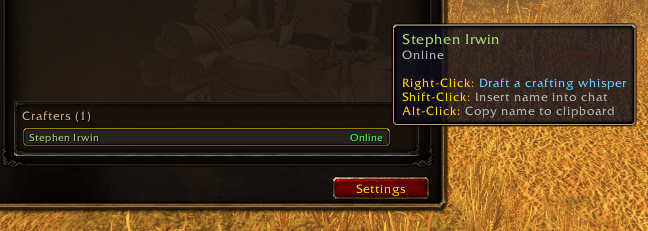
When you find a crafter, right-click their name to open an unsent whisper draft asking for the selected item. The message includes the in-game item link; you can edit it before sending. Online status appears when the game can confirm it.
Share recipes with your guild
Guild sharing is enabled by default. Each member opens their profession windows once to record their starting recipes. WhoCrafts then exchanges that knowledge with other guild members who use the addon, keeping everyone’s view of the guild’s crafting options together.
When someone learns a new recipe, WhoCrafts updates and shares it automatically if the game provides the necessary details. If the details are not available yet, a small gold ! reminds that player to open the relevant profession. Once the profession is scanned, the new recipe can be shared with the guild.
Guildmates do not have to be online for every individual recipe change. Their addon can catch up through the normal guild exchange the next time both players are online. Sharing is limited to characters verified in the current guild; unrelated alts are not added to the guild crafter list.
Quick to use, quiet in chat
- Open WhoCrafts: Type
/wcor/crafts, or left-click the minimap icon. - Open settings: Right-click the minimap icon or type
/wc settings. - Refresh guild sharing manually: Type
/wc syncif you want to request an update immediately. - Recover an off-screen window: Type
/wc resetwindow.
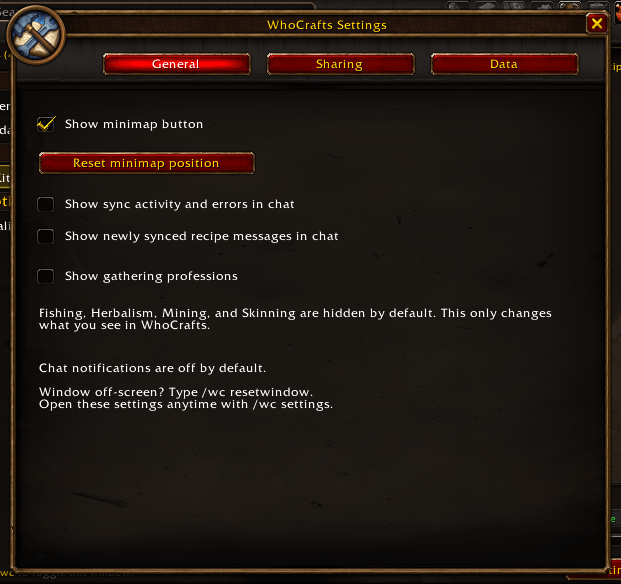
Routine scans and guild exchanges run quietly. Chat notices for sync activity and newly synced recipes are available in settings, but both are off by default.
Get started
Install WhoCrafts alongside your guildmates, log in, and open each of your profession windows once. From then on, open /wc whenever someone asks, “Who can make this?” Search the recipe, check the materials, and contact the crafter from the same window.
You must be logged in to leave a comment.