
SNRN Tally – Bag & Ammo Counter
> Free bag slots and ammo count in the bottom-right corner of WoW: Forever's gamepad HUD, which shows neither. Quivers and ammo pouches supported, yellow when low, red at zero.
Details
Expansion
 Forever
 Categories
Developers

Having issues?
SNRN Tally
Free bag slots and ammo on WoW: Forever's gamepad HUD.
In gamepad mode the crossbar replaces the bag bar and the Shoot button, so nothing on screen tells you your bags are full or you are about to run out of arrows. Tally puts both numbers in the bottom-right corner, in the same round-slot style as the crossbar.
What's new
- 0.2.0: Click the bag counter to delete your cheapest grey item, confirmed in the tooltip. Reagent bags can get their own counter. Fixed a phantom "?" ammo counter with no ammo equipped.
- 0.1.1: Clicking the bag counter no longer freezes the game in gamepad mode. The counters are hover-only now.
- 0.1.0: First release.
Full history on the Changelog tab of each file.
What you get
| Counter | Shows |
|---|---|
| Bags | Free slots in your backpack and normal bags |
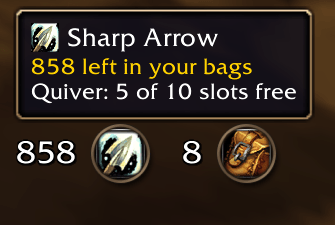
| Ammo | Every arrow or bullet of the equipped type in your bags |
- Yellow when low, red at zero. Both thresholds are yours to set.
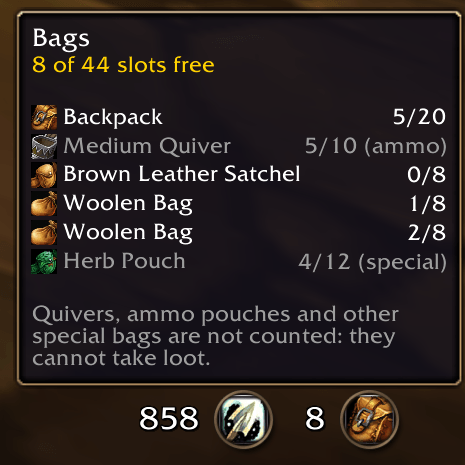
- Quivers, ammo pouches and other special bags don't count as free space, because loot can't go there.
- The ammo counter only appears for characters who use ammo: a bow, gun or crossbow, a quiver or ammo pouch, or ammo equipped.
- Hover for free slots per bag, quiver slots and any other ammo you carry.
- Reagent bags are counted with your bags, or get a counter of their own.
Delete greys
The bag tooltip names your cheapest grey item. Click the bag counter and the tooltip asks to delete it; click again to delete it, or move away to cancel. No bags or popups open, so it is safe in gamepad mode.
- Optionally include white items, with trade goods, consumables, reagents and recipes kept by default.
- Quest items, ammo, keys and anything a vendor won't buy are never offered.
- Right-click to always keep an item;
/tally keepmanages the list. - With Auctionator, TradeSkillMaster or Auctioneer installed, greys that sell well on the auction house are not the ones offered.
Setup
Nothing to do. Switch to gamepad mode and the counters appear in the bottom-right corner. Move them in Edit Mode, or with /tally unlock.
Settings
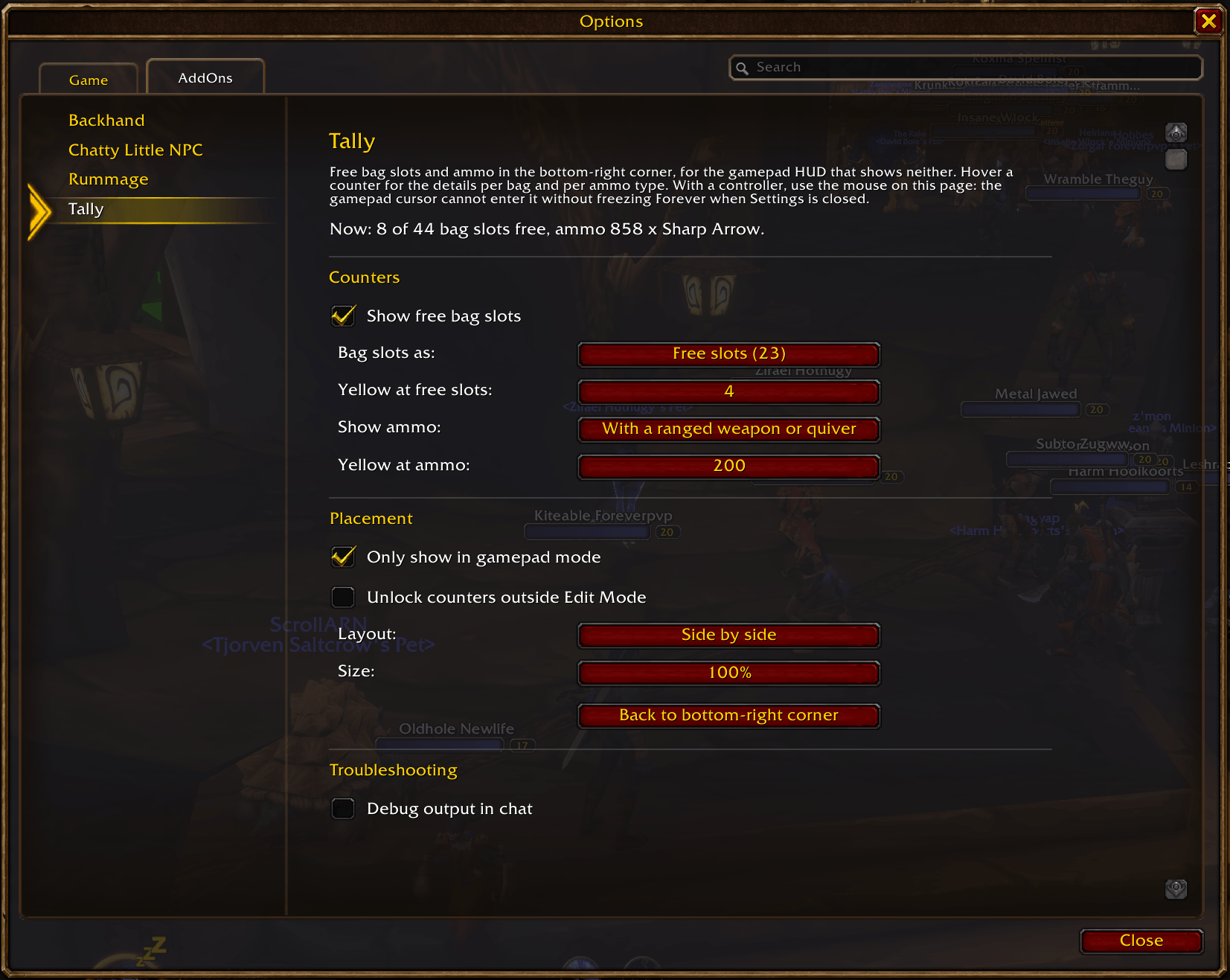
Settings > AddOns > Tally (or /tally): what to show, how to show bag slots (free, free / total, used / total), when to turn yellow, gamepad-only or always, side by side or stacked, and size.
Works with a controller
The counters only show in gamepad mode by default. The Settings page is built so WoW: Forever's gamepad cursor never touches it, which avoids the client freezing when Settings is closed with the controller.
Slash commands
/tally           open the settings page
/tally status    bag slots per bag and ammo, in chat
/tally unlock    move the counters outside Edit Mode
/tally lock      lock them again
/tally reset     back to the bottom-right corner
/tally keep      list, add or remove items never offered for deletion
Notes
- Built for World of Warcraft: Forever. It only uses standard bag and inventory APIs, so it should also work on other clients that have them.
Part of the SNRN family
- SNRN Rummage: one action slot per item type that always uses the best food, drink, potion, bandage or quest item in your bags. Tally tells you when your bags are full; Rummage makes sure the right stack gets used.
- SNRN Backhand: four extra action slots for your controller's rear paddles (Xbox Elite, DualSense Edge, Steam Input back buttons), built into Forever's native crossbar.
- SNRN Valet: sells greys and repairs at merchants, collects your mail, and declines duels, guild invites and charters. Greys you keep with Tally are not sold.
- SNRN Grimoire: one command lays out an Affliction Warlock on Forever's gamepad crossbar and Backhand's paddles.
Reporting problems
Run /tally status and include the output with your report.
You must be logged in to leave a comment.