
RGB Unit Bars
Your health, power, combo points and cast bar — live on your RGB keyboard (OpenRGB / Keychron). Requires the free desktop app.
Details
Expansion
 Forever
 Categories
Developers

Having issues?
RGB Unit Bars
Your health, power, combo points and cast bar — live on your RGB keyboard.
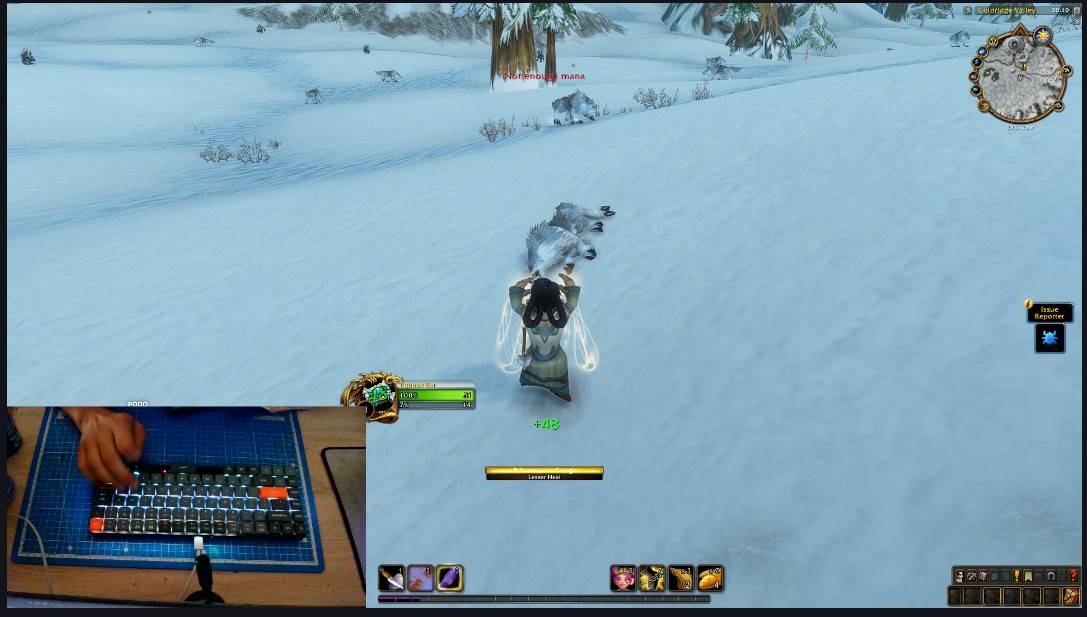
Glance down and your keyboard is your unit frame: rows of keys fill up and drain with your health and resource, combo points light up one by one, and a cast bar sweeps across the keys while you cast.
⚠️ This addon needs the free RGB Unit Bars desktop app (Windows) to drive the keyboard. The addon alone only draws a tiny row of pixels for the app to read. Get the app on GitHub: RGB Unit Bars releases
What you see on the keyboard
| Class / resource | Rows (top → bottom) |
|---|---|
| Rogue, Druid in Cat Form | combo points · health · energy |
| Warrior, Druid in Bear Form | health · rage |
| Mana users | health · mana |
- Health uses your class colour (switches to green if it would clash with your resource) and fades to red, pulsing when you are low.
- Combo points light up in five groups and flash at maximum — finisher time.
- Cast bar (optional): its own rows, or taking over the health / power rows while you cast. Fill direction, row order and colour are configurable.
- Empty parts of every bar stay faintly lit, so you always see the full scale.
Settings
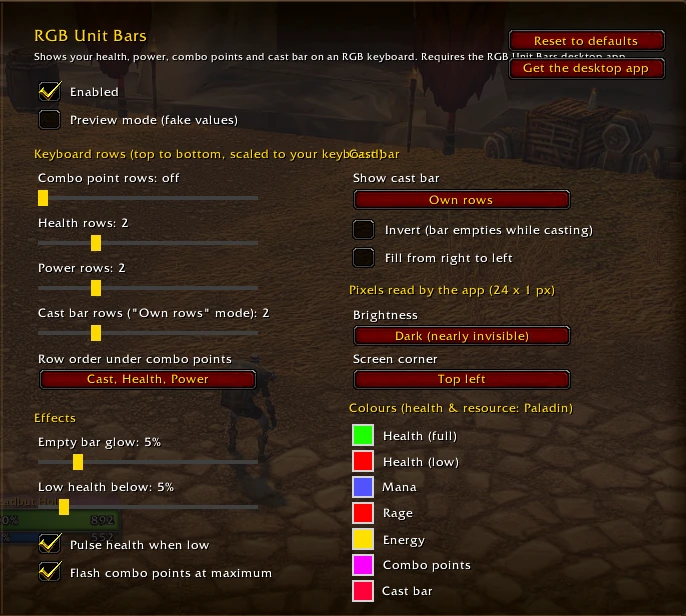
Type /rub (or open Options → AddOns → RGB Unit Bars):
- rows per bar and their order
- cast bar mode, invert, right-to-left fill
- colours — health and resource colours are saved per class
- low-health threshold, pulse, combo flash, empty-bar glow
- preview mode with fake values, to test the keyboard without fighting
- which screen corner the pixel row uses, dark or bright pixels
/rub on, /rub off, /rub demo work from chat too.
Supported keyboards
- Most per-key RGB keyboards — Razer, Corsair, Logitech, SteelSeries, ASUS, HyperX, MSI and more — through OpenRGB (free).
- Keychron K3 Max directly, with the custom firmware from the GitHub repository.
How it works (and why it is safe)
The addon draws one row of 24 dark pixels, 1 px tall, at the edge of the game window — practically invisible. The desktop app reads those pixels from the screen and lights the keys.
- No memory reading, no injection, no input sent to the game.
- The addon only uses normal UI widgets, works in combat and with Midnight-era "secret values".
Requirements
- Windows, game in Windowed or Windowed (Fullscreen) mode (exclusive fullscreen cannot be captured).
- The RGB Unit Bars desktop app running, plus OpenRGB for non-Keychron keyboards.
Feedback
Bugs and ideas: GitHub issues.
You must be logged in to leave a comment.