
PeaversCastBar
An ultra-lightweight replacement for the default cast bars - player, target, focus and pet - that can take its width and position straight from Blizzard's Cooldown Manager.
Details
Expansion
 Forever
 Categories
Developers

Having issues?
PeaversCastBar


An ultra-lightweight replacement for the default cast bars — player, target, focus and pet — that can take its width and position straight from Blizzard's Cooldown Manager.
~80 KB. No bundled libraries. Around one client call per frame while casting, and nothing at all when idle.
Part of the Peavers Ultra Performance family: addons that hold themselves to a published budget, measured on every push.
Built for performance
Cast bars run every single frame, so this one is measured rather than assumed.
The table below is regenerated on every push by the
Ultra Performance harness,
which loads this addon's real source into a Lua VM, drives its own OnUpdate
through a full cast, and counts what it actually asked the client to do. If any
number goes outside perf/budget.json, the build fails.
Measured on every push by the Ultra Performance harness. The build fails if any number here exceeds the budget in
perf/budget.json.
| Check | Measured | Budget | |
|---|---|---|---|
| Packaged size | 84.4 KB | 100 KB | pass |
| Bundled libraries | 0 | 0 | pass |
| Widget calls per frame | 1.17 | 1.25 | pass |
| Widget calls per second while idle | 0 | 0 | pass |
Scenarios driven against the real addon source, outside the game:
| Scenario | Calls/frame | Notes |
|---|---|---|
| player cast, 2.5s at 144fps | 1.07 | 358 frames driven |
| player cast, 2.5s at 60fps | 1.17 | 148 frames driven |
| channel, 3s at 144fps | 1.07 | 430 frames driven |
| idle, nothing casting | 0.00 | frame hidden, never ticked |
<sub>2,310 lines of Lua · 84.4 KB packaged · no bundled libraries</sub>
How it gets there:
- The spark costs nothing. It rides the right edge of the status bar's own fill texture, so the client moves it while resizing the fill. No per-frame anchoring.
- The countdown only redraws when it changes. The label shows one decimal, so the string is rebuilt ten times a second instead of once per frame — every
SetTextforces a font string to re-measure. That redraw is why the per-frame figure sits just above 1.0 rather than exactly at it, and why it is higher at 60fps than at 144. - The clock is the clock. Progress is computed from
GetTime(), never accumulated frame deltas, so a stutter or a frame drop cannot make the bar drift out of step with the cast. - Events are filtered by the client, not by Lua. Each bar registers with
RegisterUnitEvent, so an idle raid never wakes the addon up for units it isn't showing. - Nothing runs when nothing is casting. The bars are genuinely hidden, and WoW does not tick hidden frames — which is measured above, not merely asserted.
Features
- Clean, flat cast bars for the player, target, focus and pet, each configured independently
- Match Cooldown Manager width — the bar resizes itself whenever the chosen Cooldown Manager row does, so the two line up exactly
- Attach to the Cooldown Manager — pin the bar above or below a row so it follows it around Edit Mode
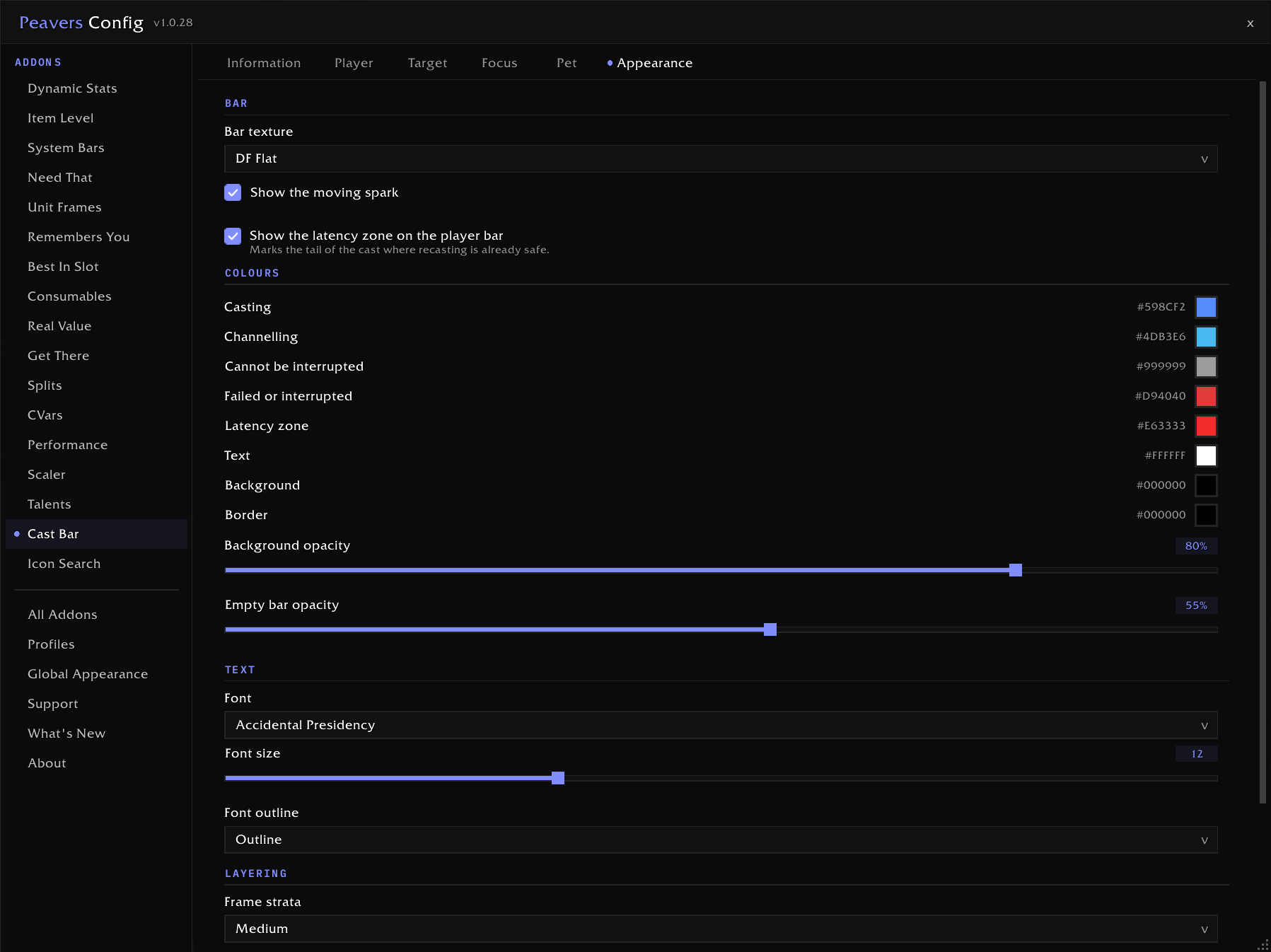
- Distinct colours for casting, channelling, uninterruptible casts and interrupts
- Latency zone on the player bar, marking the tail of the cast where recasting is already safe
- Empowered cast stage markers for Evokers
- Spell icon on either side, spell name, remaining cast time, and a moving spell spark — all optional
- Only the displayed cast's own events can end its bar, so mashing a spell key during a cast never kills the bar underneath it
- Hands each unit's default Blizzard cast bar back the moment you turn that unit off, with no reload
- Vehicle-aware: the player bar follows your casts when you are driving something
- Full appearance control, and optional sync with the shared Peavers global appearance profile
Usage
Open the settings with /pcb. The player and target bars are on out of the box; focus and pet are opt-in.
To move a bar, press Unlock bars to drag on any unit's page (or /pcb unlock) — cast bars only exist while something is being cast, so unlocking parks a preview bar on screen for every enabled unit. Drag them where you want and press Lock bars.
To line a bar up with your Cooldown Manager, tick Match Cooldown Manager width and pick a row. Add Attach to the Cooldown Manager if you also want the bar to follow the row when you move it in Edit Mode.
Slash Commands
/pcb- Open settings/pcb unlock- Show every bar so it can be dragged/pcb lock- Finish positioning/pcb reset- Restore every setting to its default
Installation
Recommended: PeaversUpdater
Download and install PeaversUpdater, the desktop updater for the whole Peavers collection. It installs PeaversCastBar together with its required dependencies and delivers updates before they reach CurseForge.
Alternative: CurseForge
- Download from CurseForge
- Ensure PeaversCommons is also installed
- Ensure PeaversConfig is also installed
- Enable the addon on the character selection screen
Part of the Peavers addon collection · Report an issue · Support development on Patreon

You must be logged in to leave a comment.