
McAwesome Maps
A square, information-rich WoW minimap with live coordinates, an accurate compass, an integrated zone and clock header, and a collapsible button tray for Blizzard and addon controls.
Details
Expansion
 Forever
 Categories
Developers

Having issues?
McAwesome Maps
A square, information-rich minimap with a live compass and a collapsible home for all those minimap buttons.
McAwesome Maps reshapes Blizzard's minimap into a compact tactical display while keeping the familiar game systems underneath. Native map pins, tracking, tooltips, clicks, the clock, calendar, and zone display continue to work—they are simply organized into a cleaner McAwesome-styled frame.
Put every corner to work
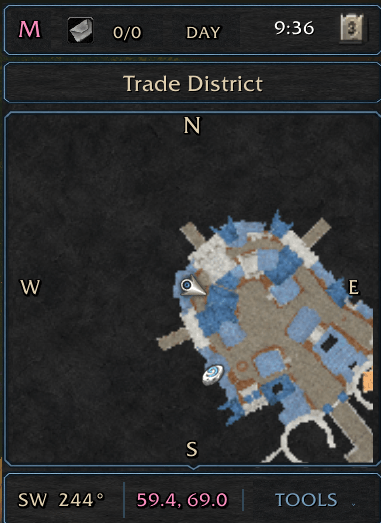
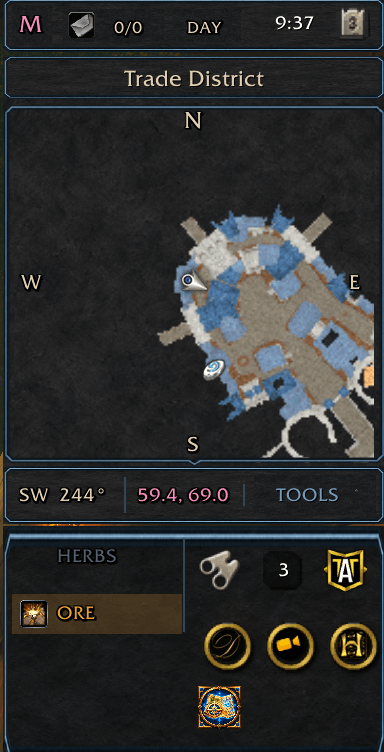
The standard circular mask leaves valuable space unused. McAwesome Maps converts the minimap into a true square so roads, objectives, gathering nodes, party markers, and nearby points of interest remain visible in the corners.
The complete minimap cluster is treated as one interface:
- Blizzard's zone or subzone name sits in an integrated header
- The clock and calendar remain available and clickable
- Coordinates are displayed directly on the map
- A live compass surrounds the map edge
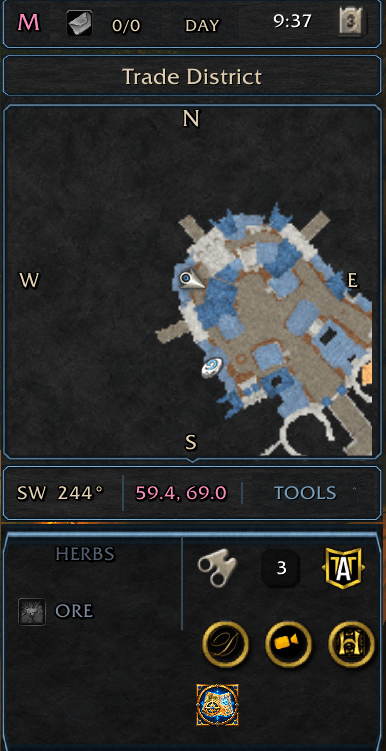
- Minimap controls move into an organized tray below the map
- The attached TOOLS tab opens that styled tray downward without moving away from the map
- Custom gold, obsidian, and cyan artwork replaces the circular Blizzard frame
Know exactly where you are headed
McAwesome Maps places N, S, E, and W around the map and adds a compact heading readout showing both an eight-way direction and exact degrees. The display responds correctly whether the minimap is configured as north-up or rotates with the player.
Live zone coordinates appear at the bottom of the map. In instances where Blizzard intentionally restricts position or facing information, the addon displays an honest unavailable value instead of reporting an incorrect location.
Tame the button swarm
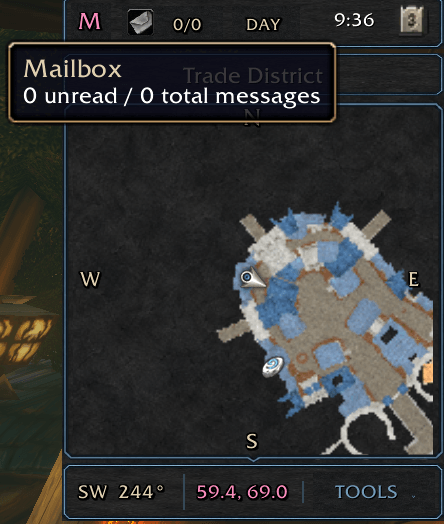
Supported Blizzard and LibDBIcon minimap controls are collected into adaptive rows beneath the map. This includes controls such as tracking, zoom, queue status, the addon compartment, and expansion features when those controls are present. Blizzard's mail and crafting-order indicators remain in their native indicator container because their event handlers depend on it.
Select TOOLS to unfold the ornamental control tray downward or collapse it when you want a minimal display. The tab stays attached to the bottom of the minimap so the buttons are always one click away. Game-controlled indicators such as mail and queue status retain their normal visibility behavior.
Move the complete minimap
Type /mam and turn off Lock minimap position, then drag the M badge in the minimap header. The badge is the drag handle—the map surface keeps its normal click, ping, and zoom behavior. The header, map, Tools tab, and expanded tray move together. Lock the position again when you are finished.
Keep Blizzard working
McAwesome Maps changes presentation without replacing the underlying minimap:
- Normal minimap clicks and tooltips remain available
- Blizzard tracking and map pins continue to work
- Mouse-wheel zoom is supported
- Zone, clock, and calendar controls keep their normal actions
- Protected layout changes wait until combat ends
- Display preferences are saved between sessions
- The complete minimap cluster can be moved by dragging the M badge and locked in place afterward
- A standalone McAwesome-styled configuration window provides live size, position, visibility, and button-layout controls
Type /mam or select the McAwesome Maps icon in the Tools tray to configure the addon.
Commands
/mam— Toggle the standalone McAwesome Maps configuration window/mam help— Show command help/mam buttons— Show or hide the button tray/mam coords— Show or hide coordinates/mam compass— Show or hide the compass and heading/mam refresh— Redetect and arrange minimap buttons/mam reset— Restore defaults and reload the UI
Compatibility
McAwesome Maps currently supports World of Warcraft Retail 12.1.5. Classic client families are not currently packaged as supported targets.
You must be logged in to leave a comment.