
Mateos Mage Frames
A mage suite for World of Warcraft: Forever.
Details
Expansion
 Forever
 Categories
Developers

Having issues?
I started with wanting a new unitframe. Then things escalated quickly.
Mateos Mage Frames
is a unitframe addon that is tailored to my specific taste and needs while leveling in Forever.
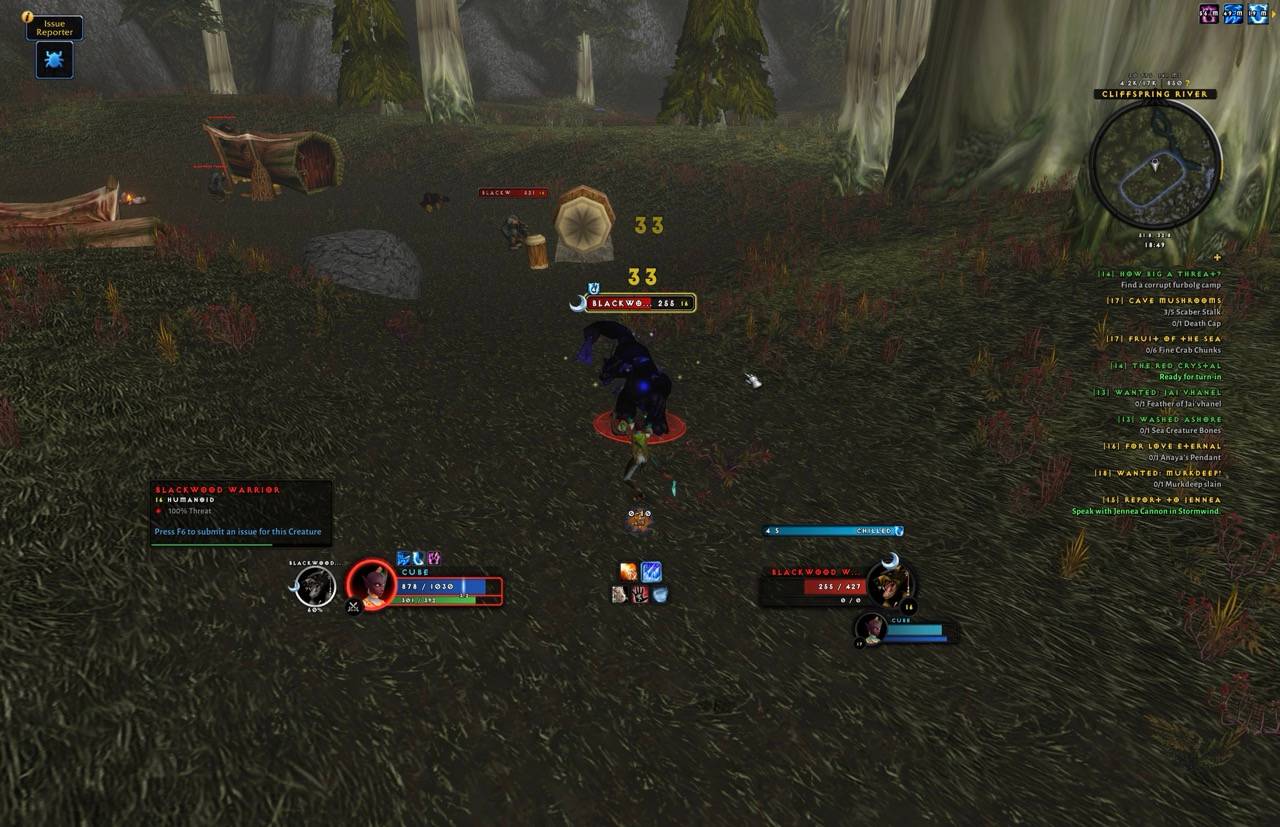
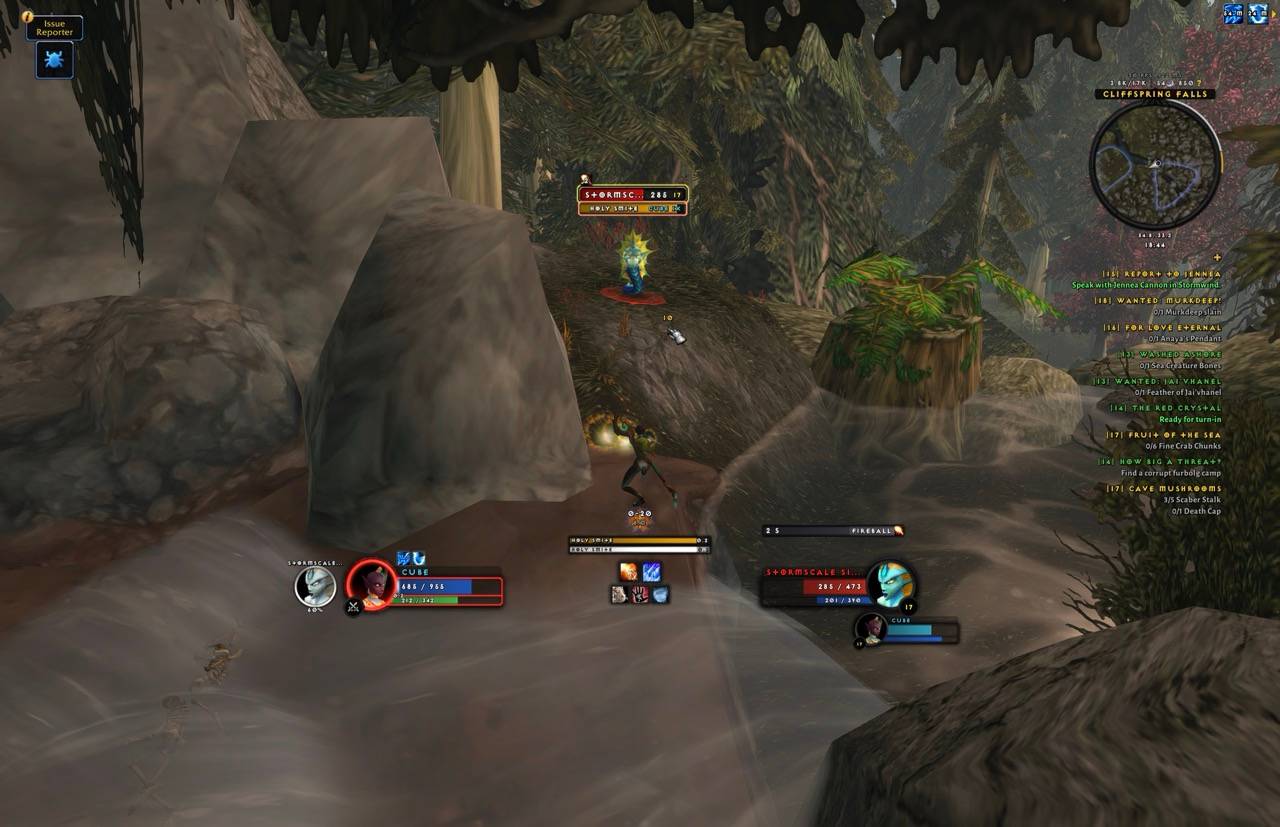
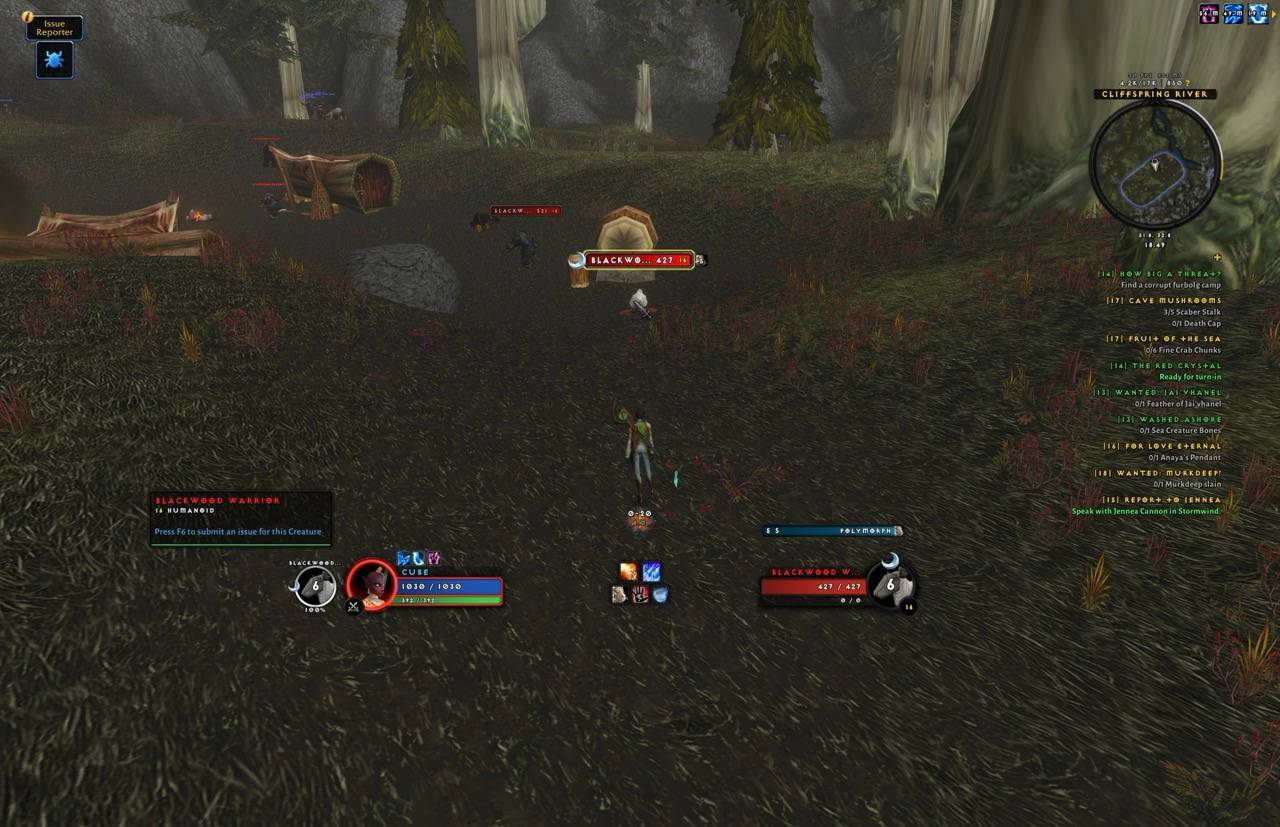
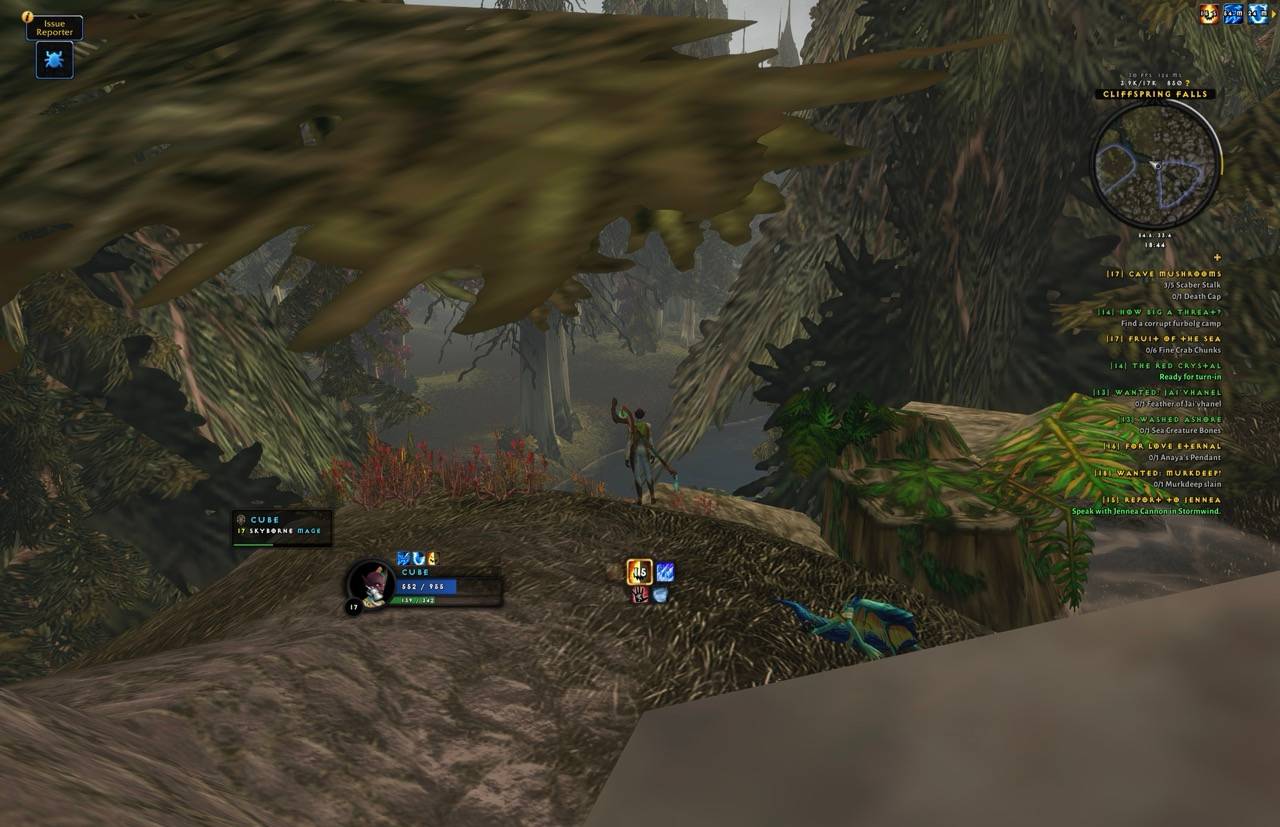
What started as a unitframe became a complete, minimal UI for mages on World of Warcraft: Forever: unit frames, cast bars, cooldowns, consumables and the rest of what a mage watches, built around one column in the middle of the screen. It replaces a pile of WeakAuras, and it works with Forever's hidden combat numbers instead of against them.
The rule behind every part: only show what you can use right now. Glows mean "press this now", full brightness means "you can", faint means "not now".
The centre column
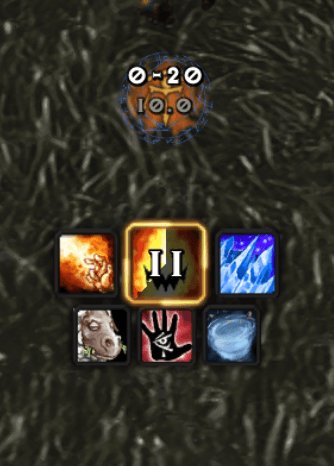
- Range cluster: the distance to your target as a range from the spells you know, the target's run speed, and soft art behind the numbers for what you can cast from here (fire for Fireball, a frost rune for Frostbolt, an eye for Arcane Blast or Missiles). Threat warning above it in groups.
- Cast bars: yours, your target's and your focus's, stacked. Tick marks on channels, your latency, red on an interrupt, and a glow on an enemy's bar when Counterspell would land. A flight timer takes your bar's place on a flight master's flight.
- Cooldown rows: Blizzard's Cooldown Manager, restyled into three rows (shields, offence, defence). Faint while on cooldown, out of mana or out of range; glows only for moments, like Frost Nova with an enemy in melee. Stack counts for Arcane Blast and Hot Streak.
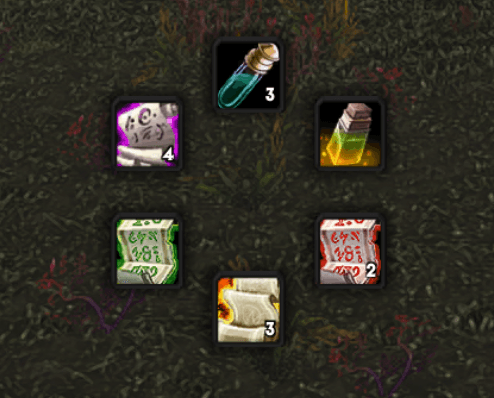
- Consumables row: mana gems, potions, bandages, food and water you carry, and a reminder when your armor or Arcane Intellect is missing.
Frames
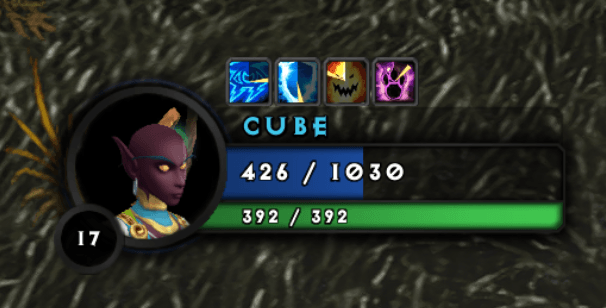
- Player, pet, target, target of target and focus, on the silver ring frame. Buffs, debuff bars, heal prediction, spell cost, shield timers, Polymorph's seconds.
- Focus in three looks: the full frame, a portrait medallion, or one line of text. Mirrored if you like.
- Nameplates: Blizzard's enemy plates, tightened: level inside the bar, threat on the bar and its glow.
- Group frames: Blizzard's party and raid frames, restyled, with a threat halo and role icons.
Around the screen
- Tooltip: darkened, the name in class colour, the guild in gold under it, one line of level, race and class, quest lines as in the tracker, and the health as a thin line inside the bottom edge.
- Quest tracker: Blizzard's, right-aligned and minimal, sorted by the focused quest, then your zone, nearest first. Optional auto-accept and auto-turn-in (Shift skips), and a key for the current quest item.
- Minimap: darkened, with an experience ring round it, the zone name on its rim, and the clock and coordinates below.
- At the cursor: the global cooldown ring, a swing ring, and how many casts your mana has left.
- Rings: a supplies ring on Ctrl+D (the best food, drink, potions and bandages you carry, usable in combat) and a travel ring on T (teleports, portals, Hearthstone).
- Also: mouseover action bars, a roll board, the damage meter restyled, breath and fatigue bars, and the screen's red and yellow messages restyled.
Moving and sizing
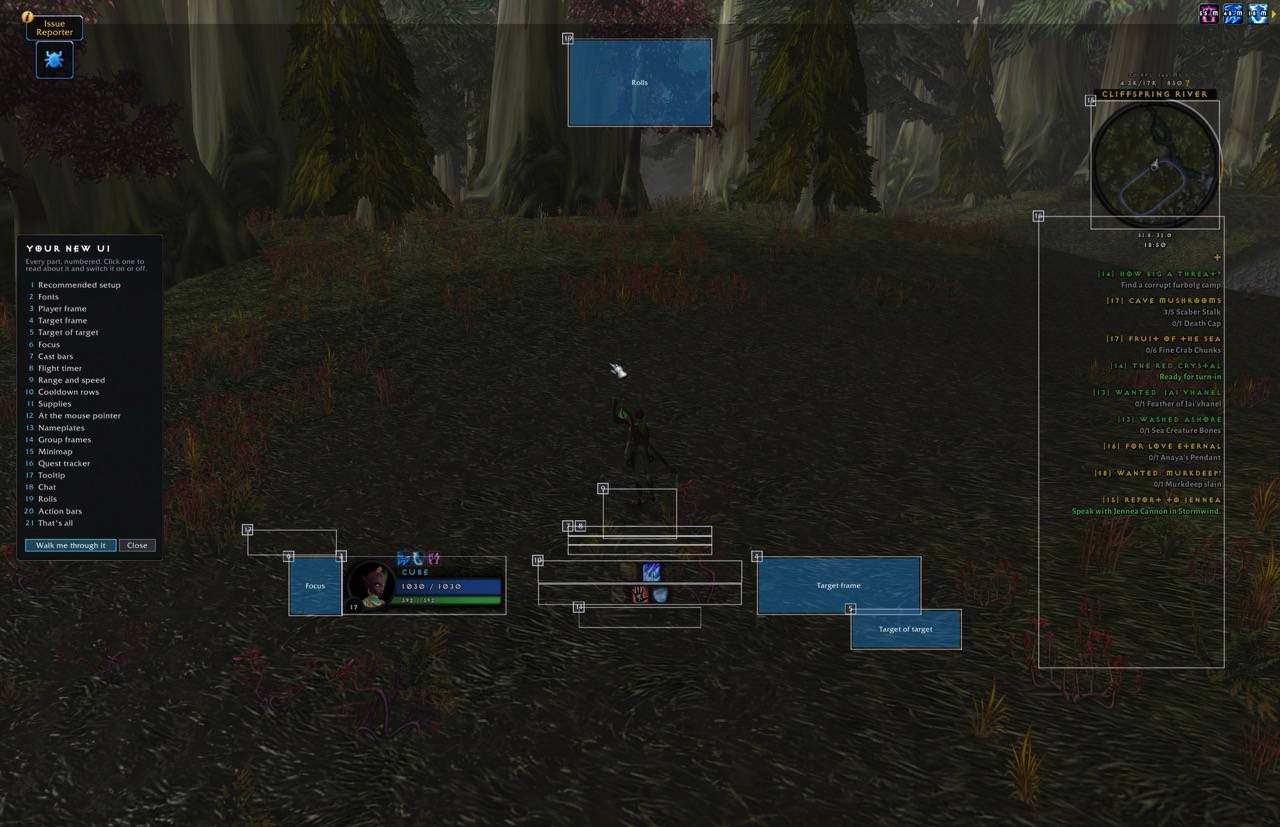
Type /mmf unlock. Every part gets a box: drag it to move, drag its corner to resize. /mmf lock when you're done.
Settings
Type /mmf for the settings window: frames, cast bars, buffs and debuffs, mage timers, quests and the Blizzard UI parts, each with a short explanation.
Commands
| Command | What it does |
|---|---|
/mmf | open the settings |
/mmf unlock / /mmf lock | move and resize |
/mmf show | show the click areas |
/mmf reset | put every part back in its starting spot |
/mmf macros / /mmf layout | write the mage macro set, and put it on your bars and keys |
/mmf flight / /mmf stacks | preview the flight timer and the stack counts |
/mmf quests, /mmf cooldowns, /mmf tip, /mmf fonts | status reports, for bug reports |
/mmf perf / /mmf hitches | what the addon costs, and any slow frames it caught |
Notes
- Mages only, built for Forever. Forever hides health, power, cooldowns and more from addons; every part is written for that.
- Fonts, all under the SIL Open Font Licence (the licences are in
Media/Fonts): Fira Sans ExtraBold for headings and numbers. For text, a choice of Alexandria, Alegreya Sans or Fira Sans. The Alexandria and Alegreya files are modified versions, renamed "MMF": weights between the standard ones, and figures that line up. - Artwork: the game's own, used from the game files, plus a few textures of ours drawn from it (
Media/SOURCES.txt). - Frames can't be moved in combat.
You must be logged in to leave a comment.