
Loadout
Gear sets and action bars, swapped together: quick-swap bars, a trinket queue, sets built on other sets and one-click ItemRack import.
Details
Expansion
 Forever
 Categories
Developers

Having issues?
Loadout
Loadout saves gear sets and equips them from a set card, quick-swap bars, keys or slash commands, in the style of ItemRack.
Supports WoW: Forever and TBC Anniversary.
Comparison with other gear addons
ItemRack. Loadout has ItemRack's main features: named sets, a quick-swap bar whose slots open a flyout of the items that fit, the same flyouts on the character pane, a key per set or slot, a trinket queue, automatic swaps (mounted, swimming, zones and game events), and a combat queue. It imports ItemRack's sets in one click. Features ItemRack doesn't have:
- Sets based on other sets, which update when the base set changes. For example, a fire resistance set based on a raid set with a few slots changed.
- Multiple quick-swap bars, each with its own slots, position and appearance.
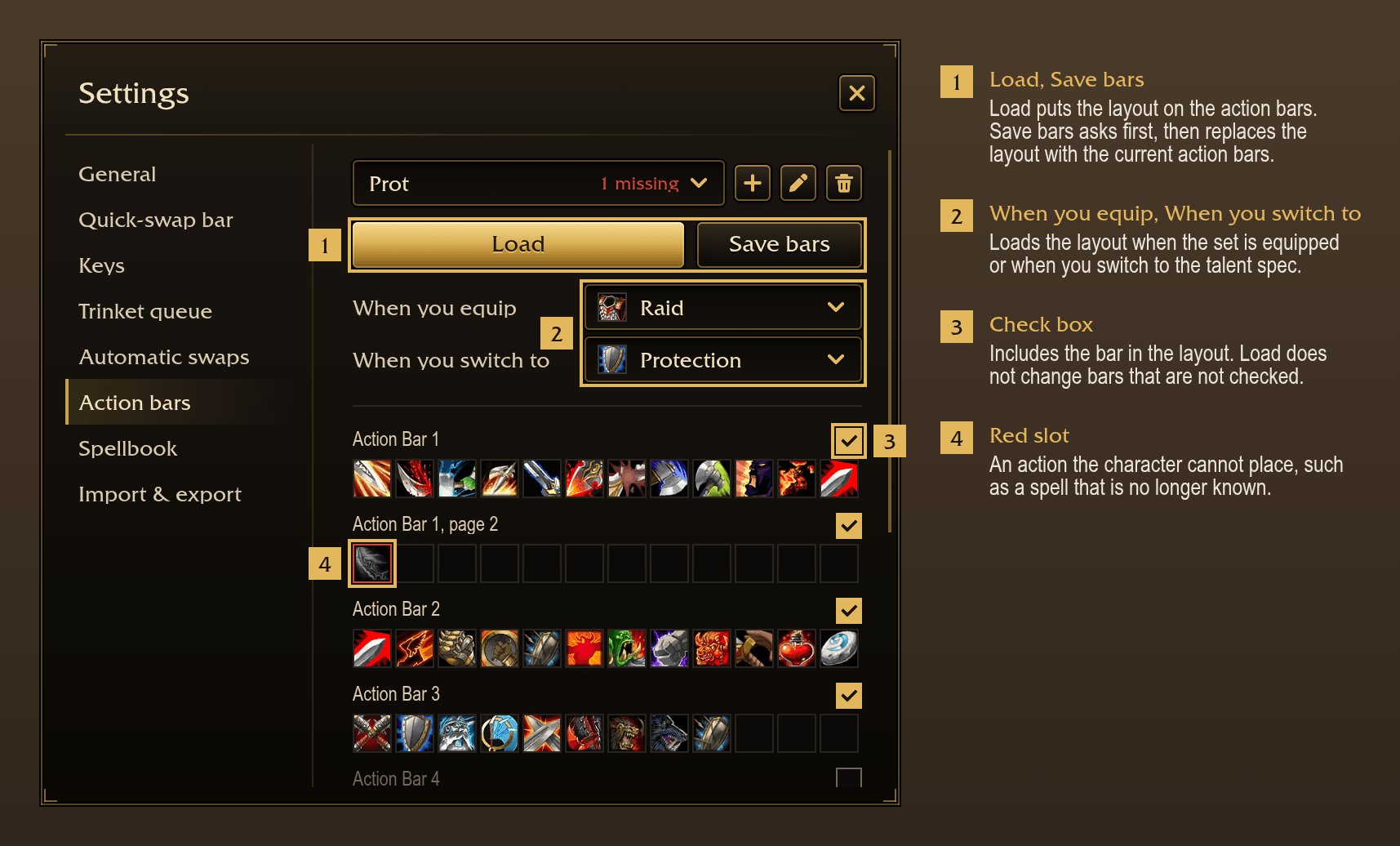
- Action bar layouts, saved and loaded with a set or a talent spec.
- Sets shared as a string to copy and paste.
- Sets shown in bag addons. On TBC Anniversary, Baganator and Bagnon also show ItemRack's sets.
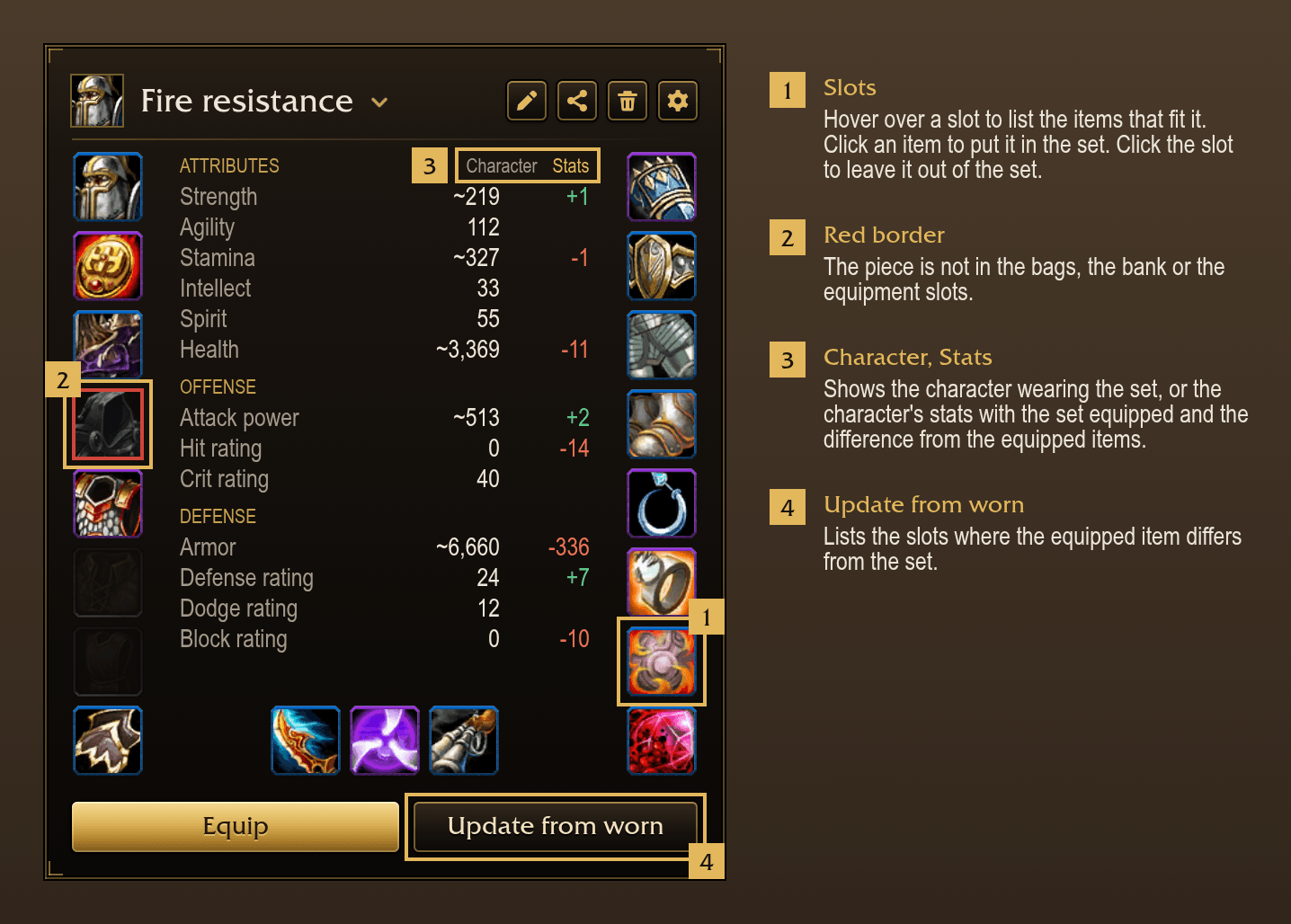
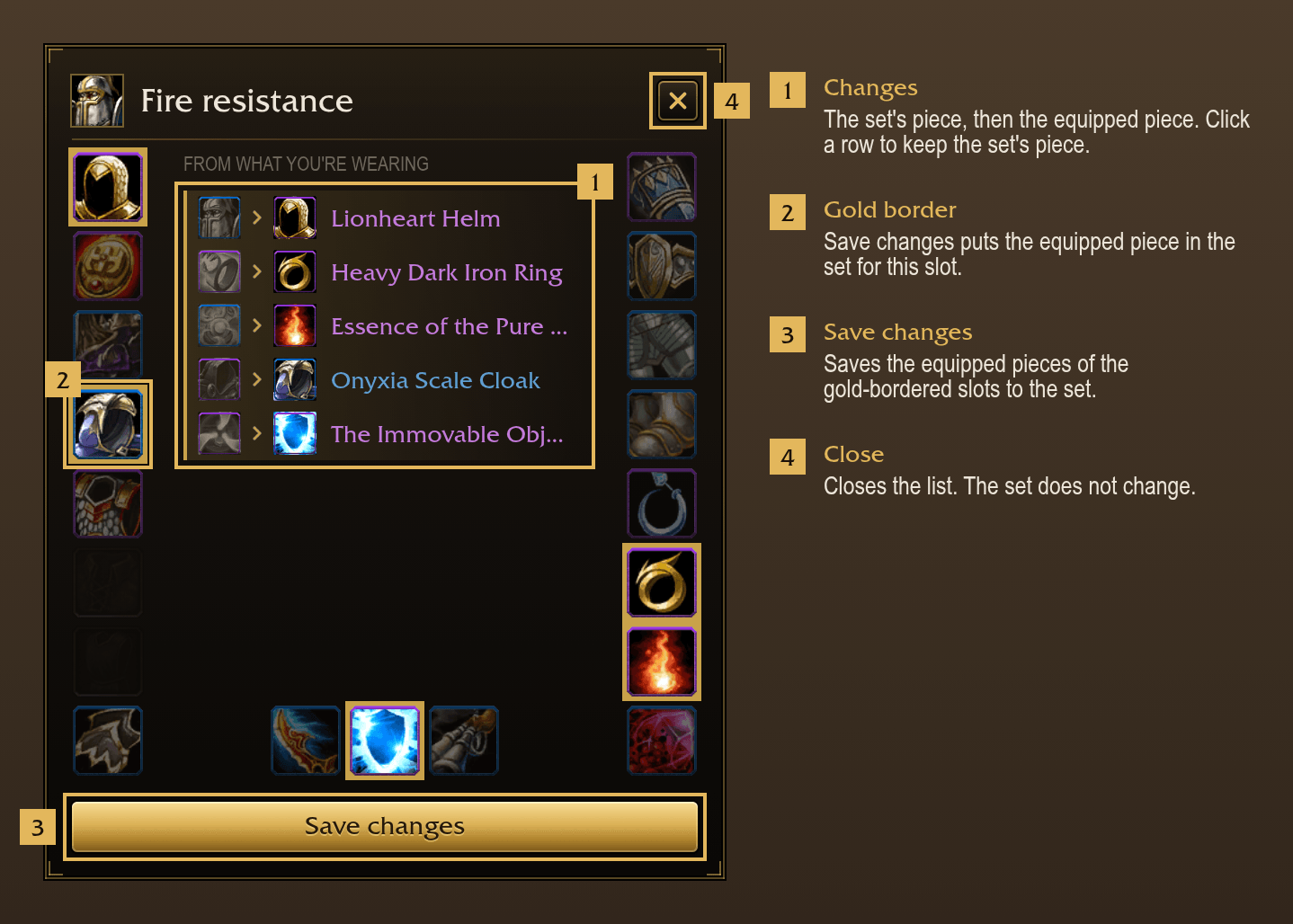
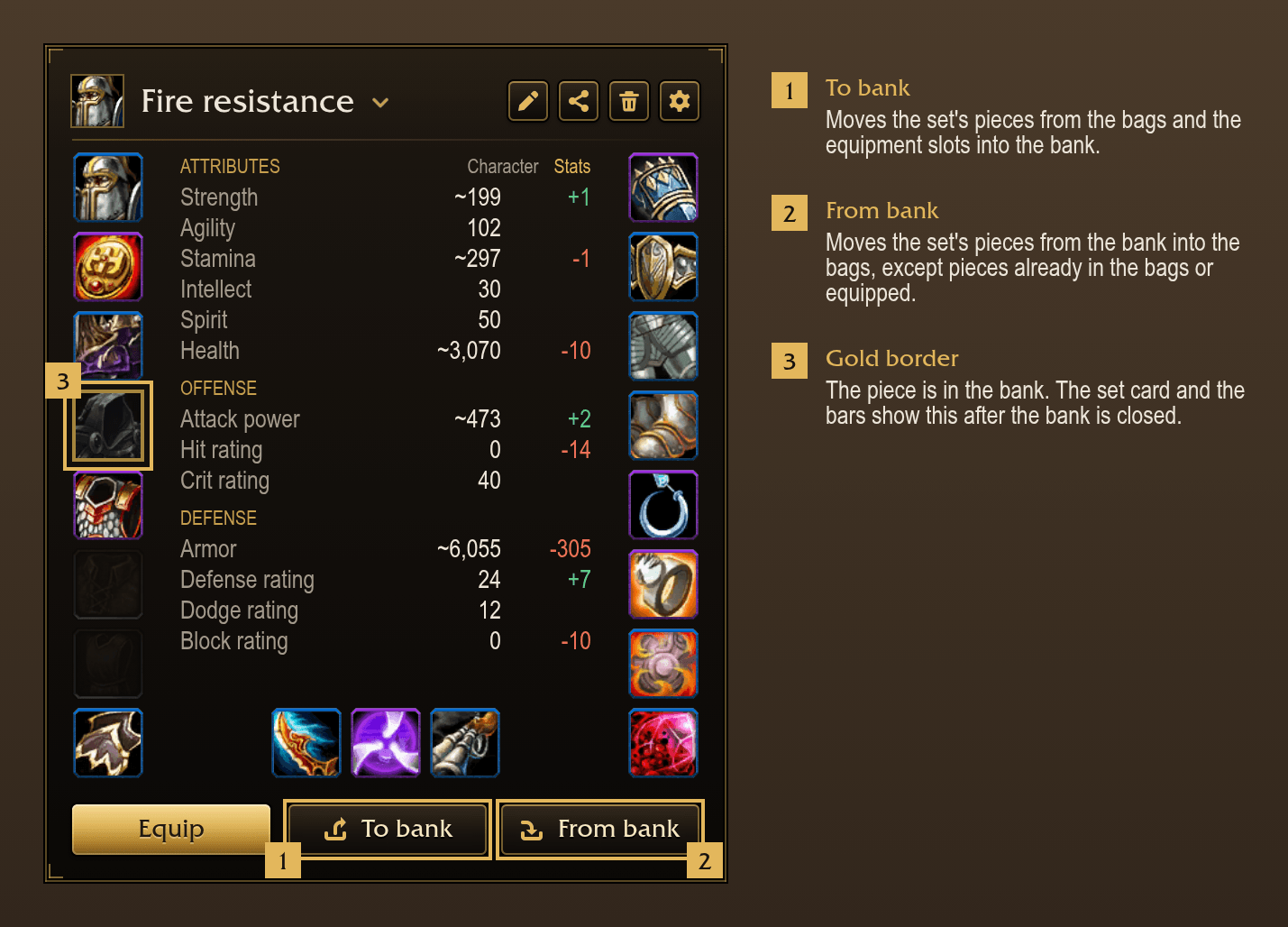
- A set card that shows each set's pieces, which ones are missing from bags or in the bank, and the changes Update from worn would make before you save.
Not included: ItemRack's buff events. An event rule's Lua test can check buffs.
Outfitter. Outfitter combines outfits in layers. Loadout uses sets based on other sets for the same purpose and equips one set at a time, so the set card shows exactly which items a set equips.
The game's Equipment Manager. On Forever, the Equipment Manager saves sets on the character pane. TBC Anniversary has no Equipment Manager. Loadout adds quick-swap bars and their flyouts, the combat queue, bank transfers, the trinket queue, automatic swaps, keys, sharing and sets based on other sets.
Sets
- Saves equipped items as a named set. The icon is chosen from a search of all icons in the game.
- Equips a set from the set card, a quick-swap bar, a key or
/lo equip <set>. - Swaps back to the items a set replaced when you press the set again while it is equipped.
- Leaves slots out of a set on request. Equipping the set doesn't change those slots, so a set can be a full outfit or two trinkets.
- Lists the items that fit a slot when you hover it on the set card. Clicking one adds it to the set without equipping it.
- Update from worn shows which slots would change to the equipped items before you save.
- Shows which of a set's pieces are missing from bags.
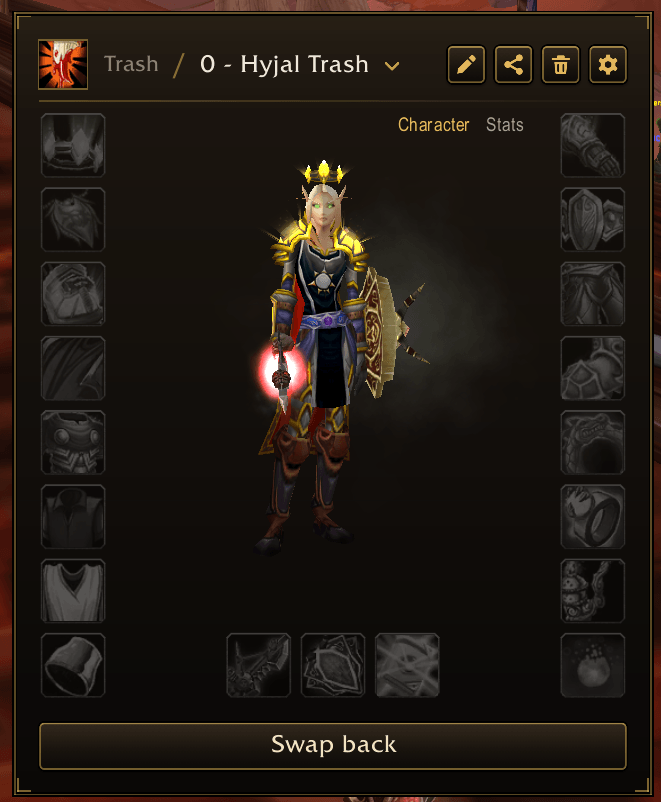
- Shows the character wearing the set, or the character's stats with the set equipped, in the middle of the set card.
- Shows or hides the helm and cloak when a set is equipped. The choice is per set.
- Marks a set's pieces that have no enchant where one can go, an empty socket, or gems that don't meet the socket bonus, with a small gem on the slot. Hovering the slot lists what is missing.
Sets based on other sets
- A set based on another set uses the base set's pieces in each slot it doesn't set itself.
- Updates the derived set when the base set changes.
Groups and order
- Sorts sets into named groups.
- Reorders sets by dragging. All lists of sets use the same order.
Quick-swap bars
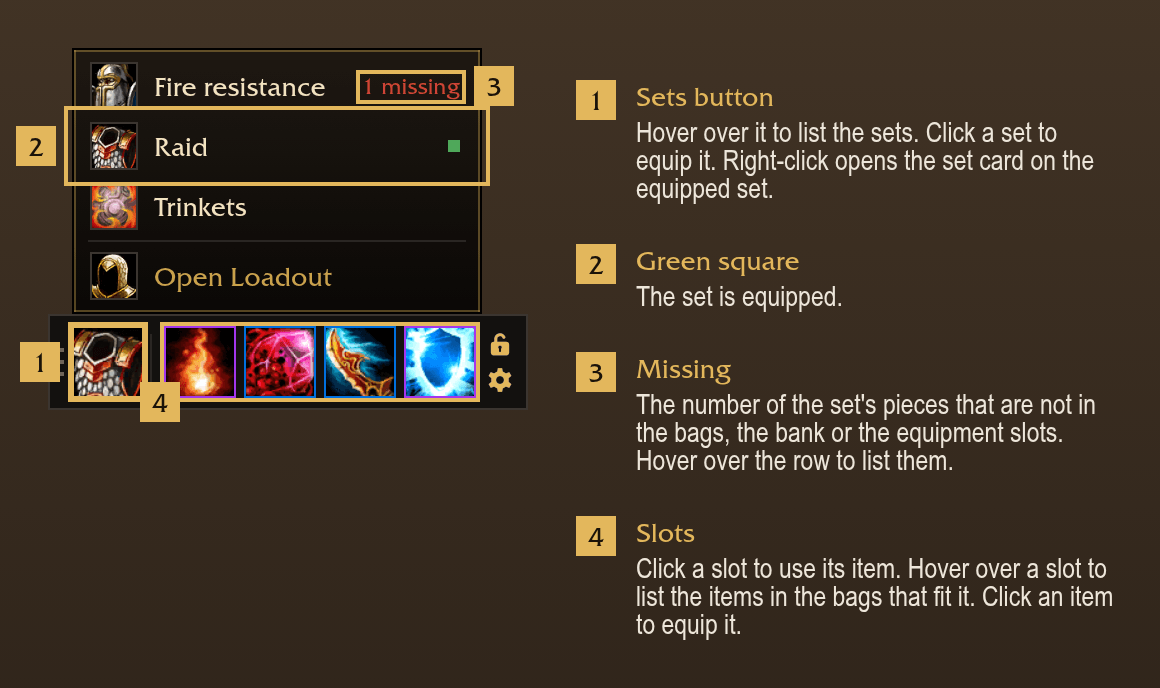
- Shows a movable bar with a sets button and a button per chosen slot. The default slots are both trinkets, main hand and off hand.
- Lists the items in bags that fit a slot when you hover its button. Clicking one equips it.
- Opens the same flyouts from the slots on the character pane.
- Uses the equipped item when you click a slot button. The button shows the item's cooldown.
- Binds a key to a slot button.
- Supports multiple bars, each with its own slots, position, lock and column count.
Combat
- Swaps weapons in combat. The rest of a set is equipped when combat ends.
- Marks each slot waiting for combat to end with a gold corner.
Bank
- At the bank, To bank moves a set's pieces from bags and equipment slots into the bank. From bank moves them into bags.
- Away from the bank, the set card and the bars show which pieces are in the bank.
Other features
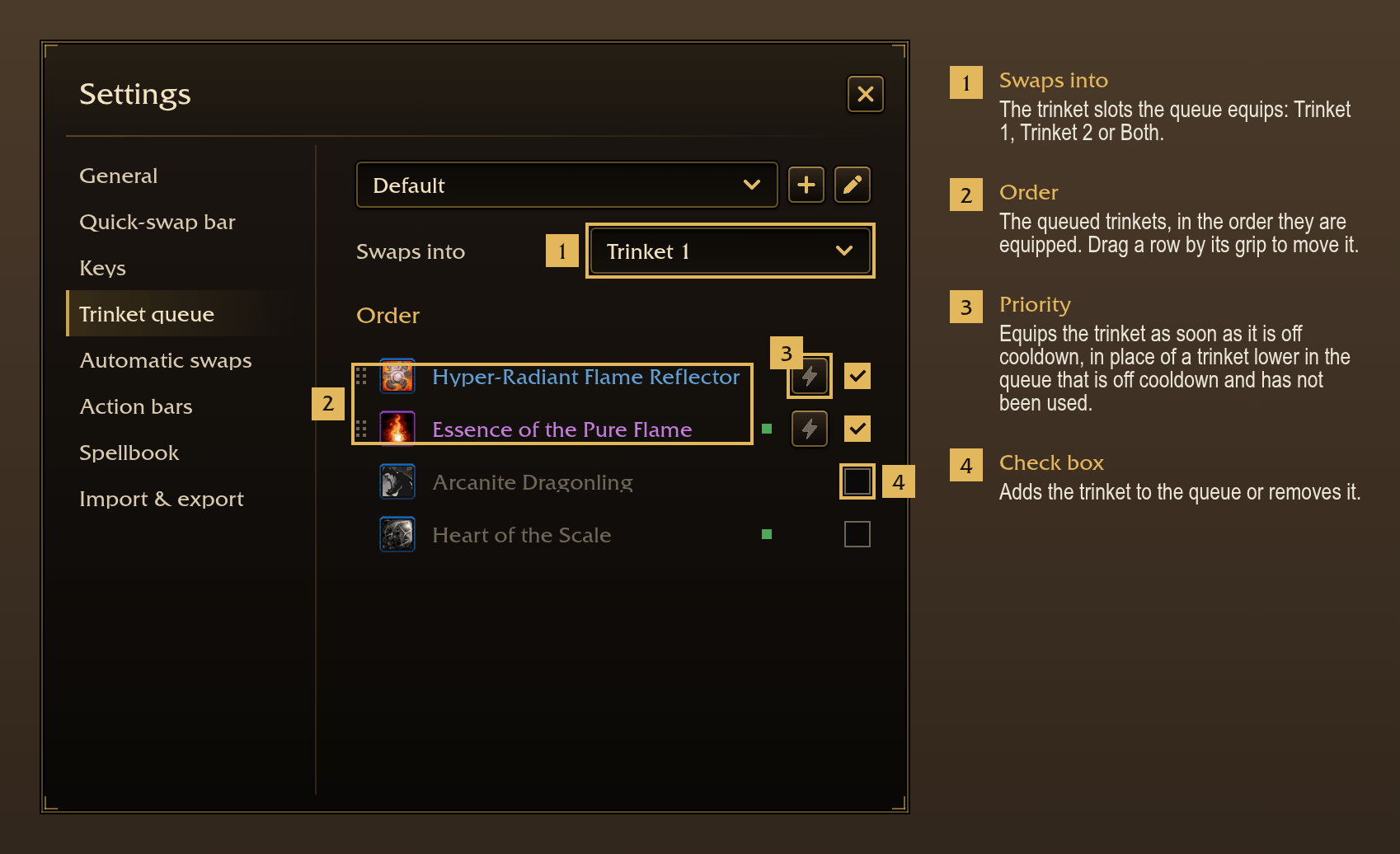
- Trinket queue: when a queued trinket has been used and its effect has ended, equips the first trinket on the list that is off cooldown. A trinket marked priority is equipped as soon as it is off cooldown. Swaps happen out of combat.
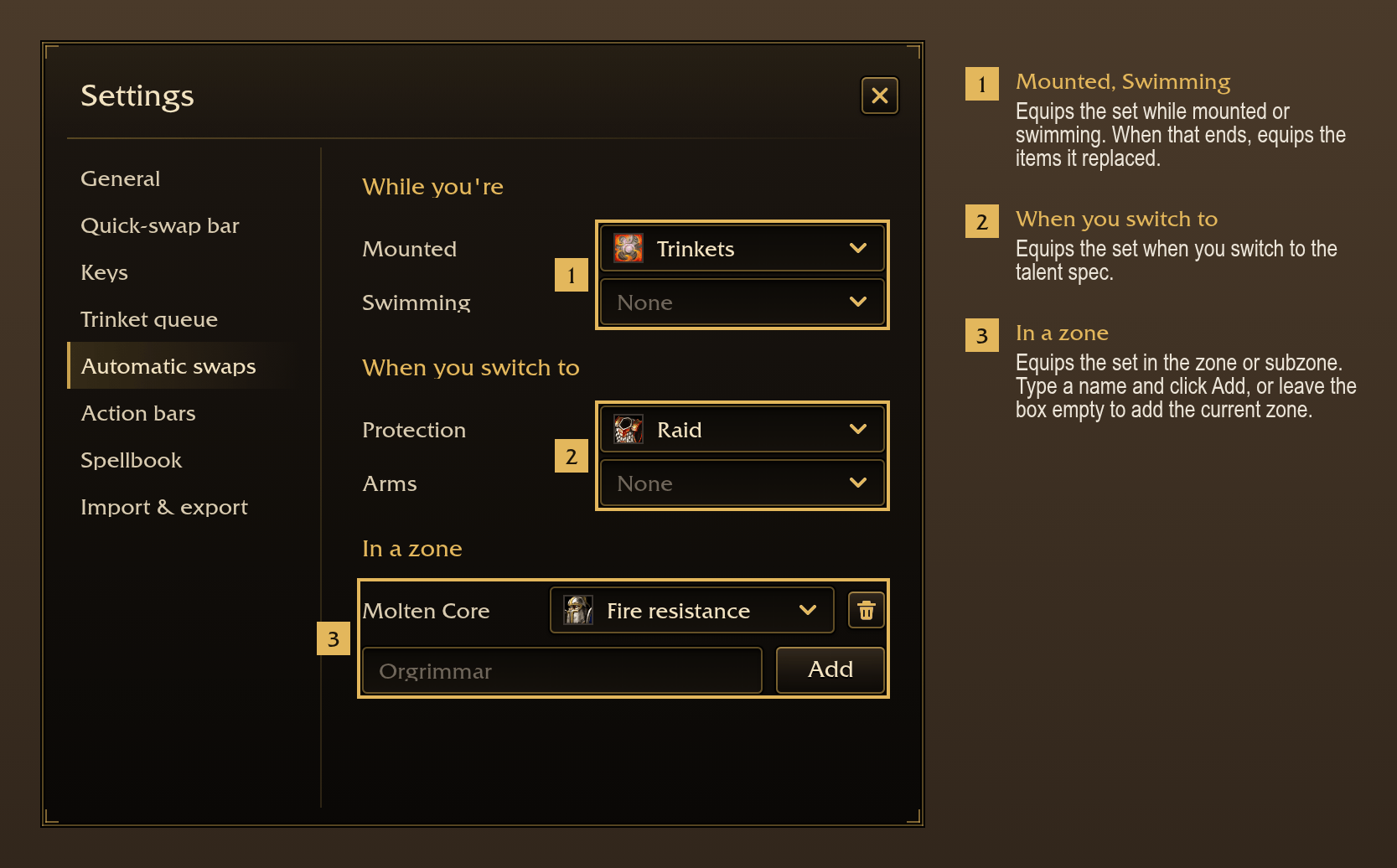
- Automatic swaps: rules that equip a set while their conditions are true: mounted, swimming, in combat, resting, in a group, in a dungeon, raid, battleground or arena, in a stance or form, in a talent spec, in a zone, or a Lua test run on game events.
- Action bar layouts: saves the contents of the action bars and loads them by hand, when a set is equipped or when you switch talent spec.
- Spellbook: lists known spells that aren't on an action bar, and action slots that hold a lower rank of a spell. Fix all places the spells and updates the ranks.
- Keys: binds keys to sets as override bindings. Existing key bindings are not changed.
- Import from ItemRack: imports ItemRack's sets in one click.
- Sharing: exports sets as a string and imports sets from a pasted string.
- Bag addons: shows sets in BetterBags, Baganator, Bagnon and Bagnonium. No setup is required.
Slash commands
/lo: open or close the set card./lo bar: show or hide the quick-swap bars./lo minimap: show or hide the minimap button./lo settings: open Settings./lo save <set>: save the equipped items as a set./lo equip <set>: equip a set./lo import: import ItemRack's sets./lo export [set]: open Import & export with the set's string./lo bars <layout>: load an action bar layout./lo spells: place missing spells and replace old spell ranks on the action bars./lo reset: reset all sets and settings, after a confirmation.
Other addons and macros can call Loadout.Sets.Equip("Raid") and Loadout.Bars.Load("Arms").
You must be logged in to leave a comment.