

GodMacro
Build conditional macros and press-by-press rotations by clicking, with a bar that shows what your next press will actually cast and a bronze armor-arc HUD.
Details
Expansion
 Forever
 Categories
Developers

Having issues?
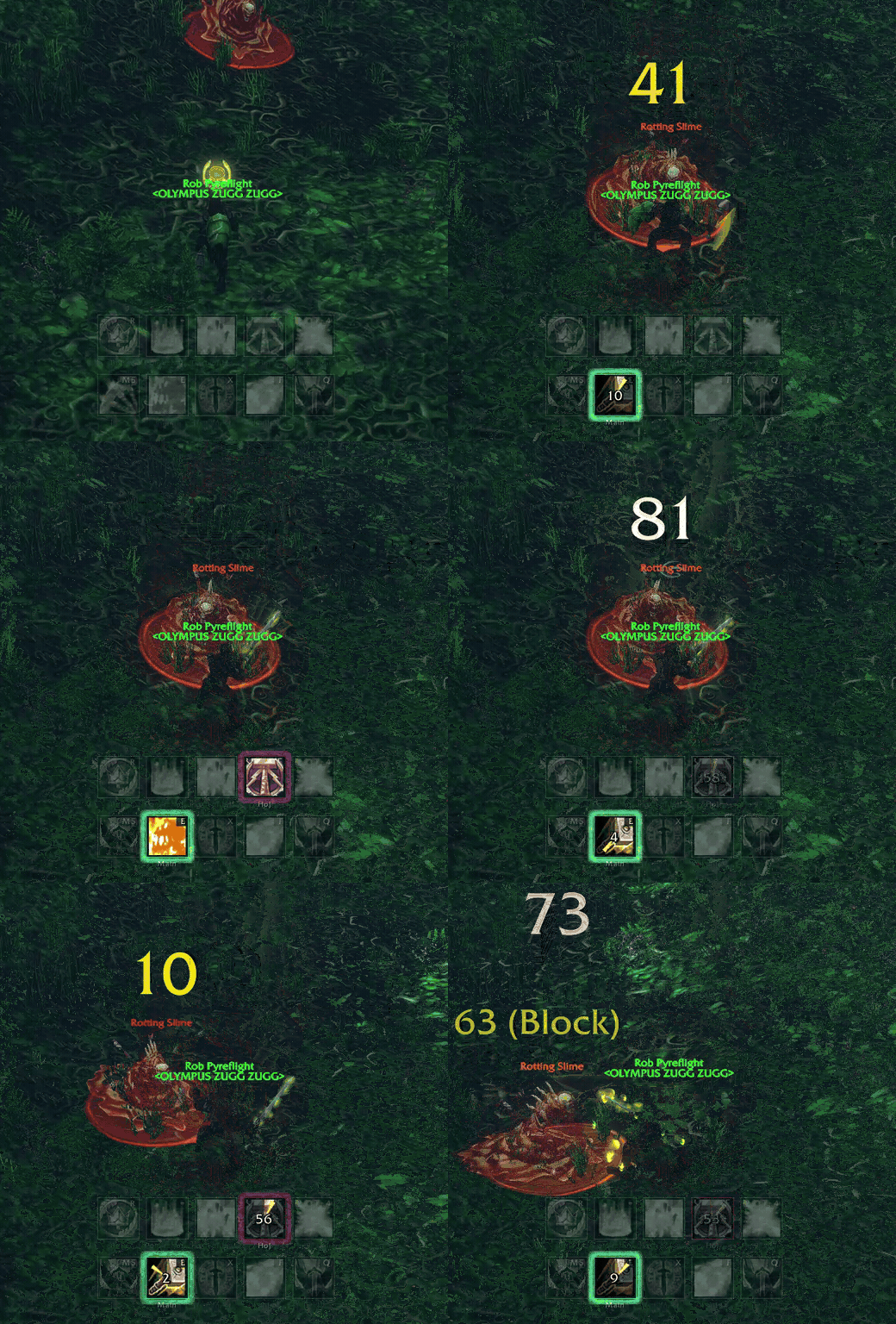
Build the macro. Understand the next press.
GodMacro is a visual macro builder, action bar and HUD for WoW Forever and Classic Era. Put spells, items and conditions together without writing every line by hand. Start from a class recipe or build your own, bind a key, and see the action prepared for your next press.
Standalone—no GSE or WeakAuras required. You stay in control: GodMacro prepares and explains; you press the key.
Make your keys work your way
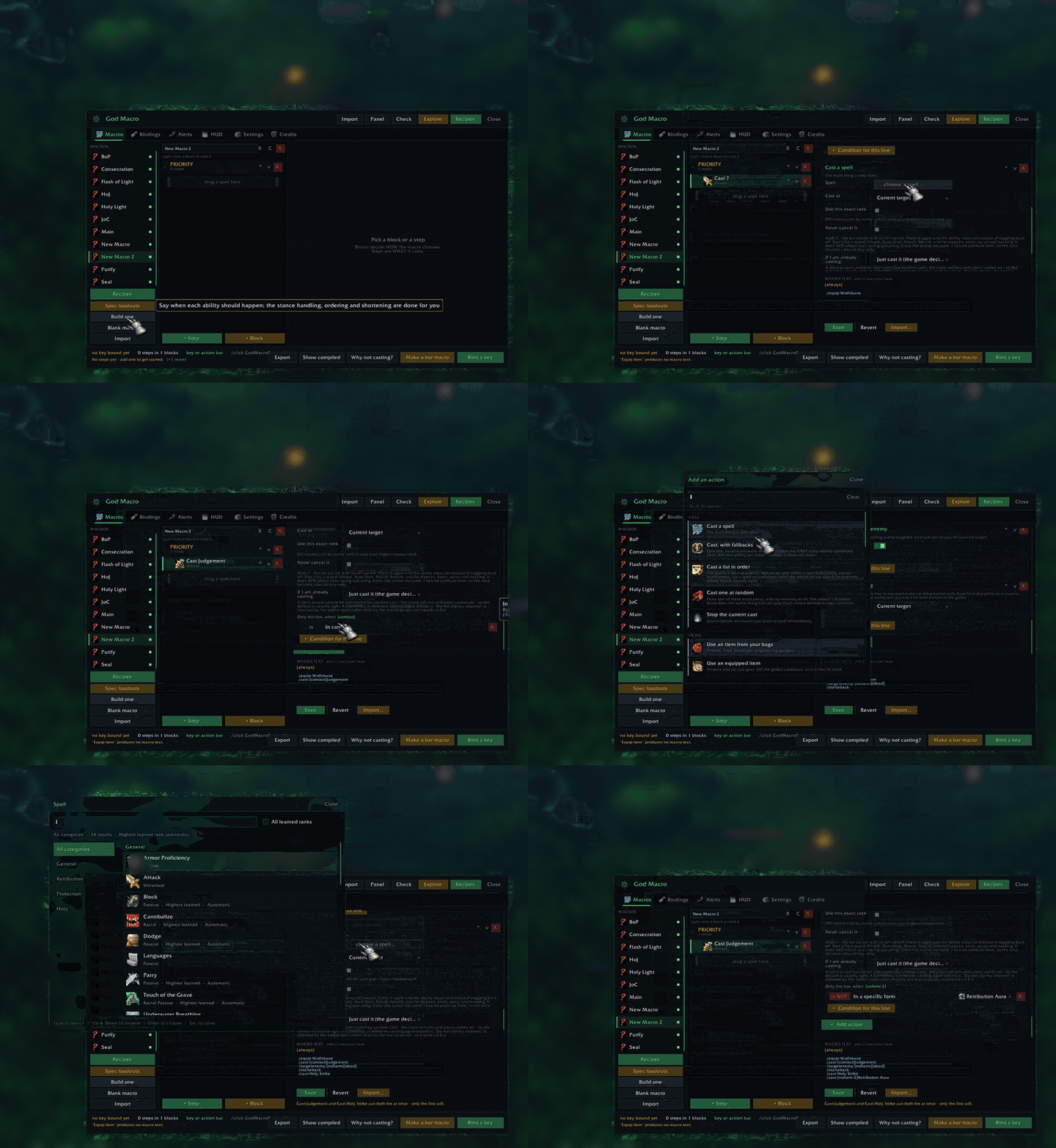
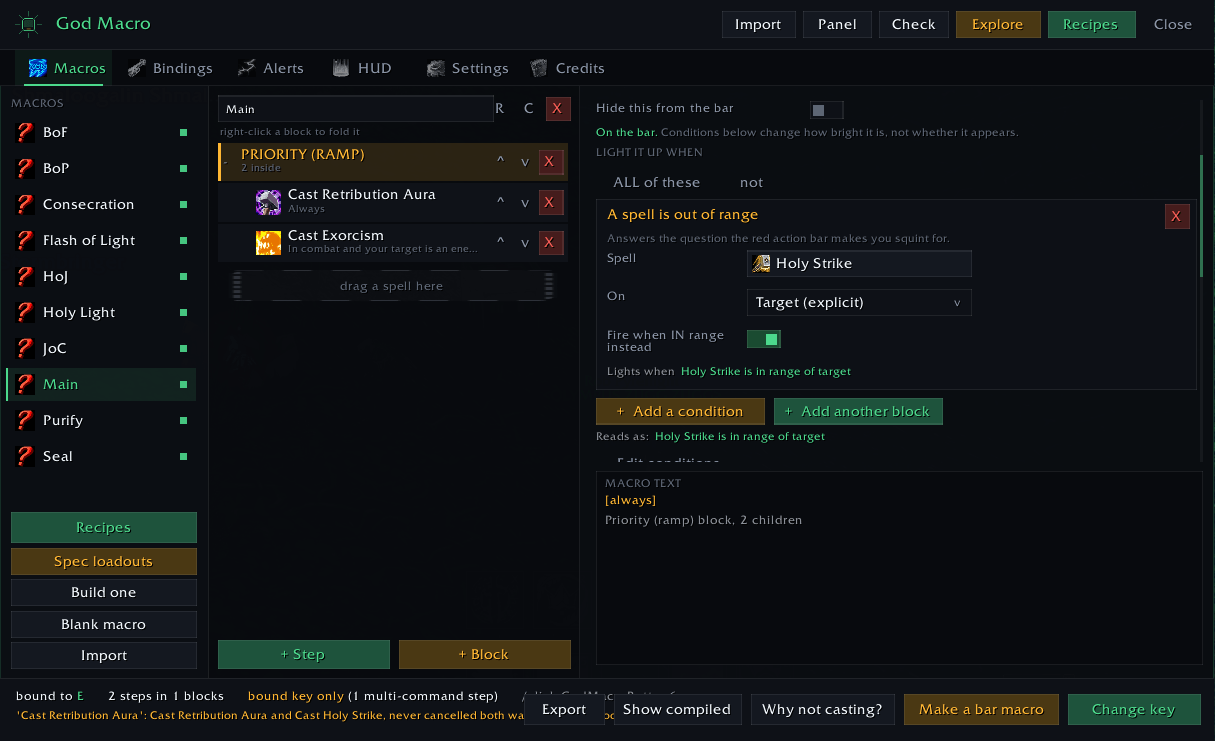
- Build visually. Drag in learned spells, add conditions, and arrange actions into sequences or priority blocks. Inspect the generated macro text before using it.
- Start with a recipe. Class and spec profiles provide a starting point you can edit. Automatic spell choices follow learned ranks; exact-rank choices let you deliberately downrank.
- Organize your bar. Save a custom macro order, resize the editor, and keep your keybindings separate from the order you see on screen.
- Share with a review step. Export and import macro text. Imports do not run immediately, and macros containing script or console commands require an explicit confirmation.
Spend less time preparing between pulls
Use a Buff key, Eat & drink / recover, or the configurable Prepare between pulls routine. Keep the helpers separate or combine recovery, resurrection, cleansing, healing, buffs and final recovery in your preferred order.
Choose who gets help—your group, your friendly target, or both—and set class-appropriate spells, blessing priorities, refresh thresholds and food or drink preferences. Add optional pet care, conjured supplies, bandages and weapon or consumable upkeep where your class and client support them.
The out-of-combat preview refreshes as mana, targets, auras and bags change. It names the prepared spell, item or recipient, or explains why the helper is waiting. Health and mana consumables can also have separate combat keys, with their item choices prepared before combat.
Keep useful information in view
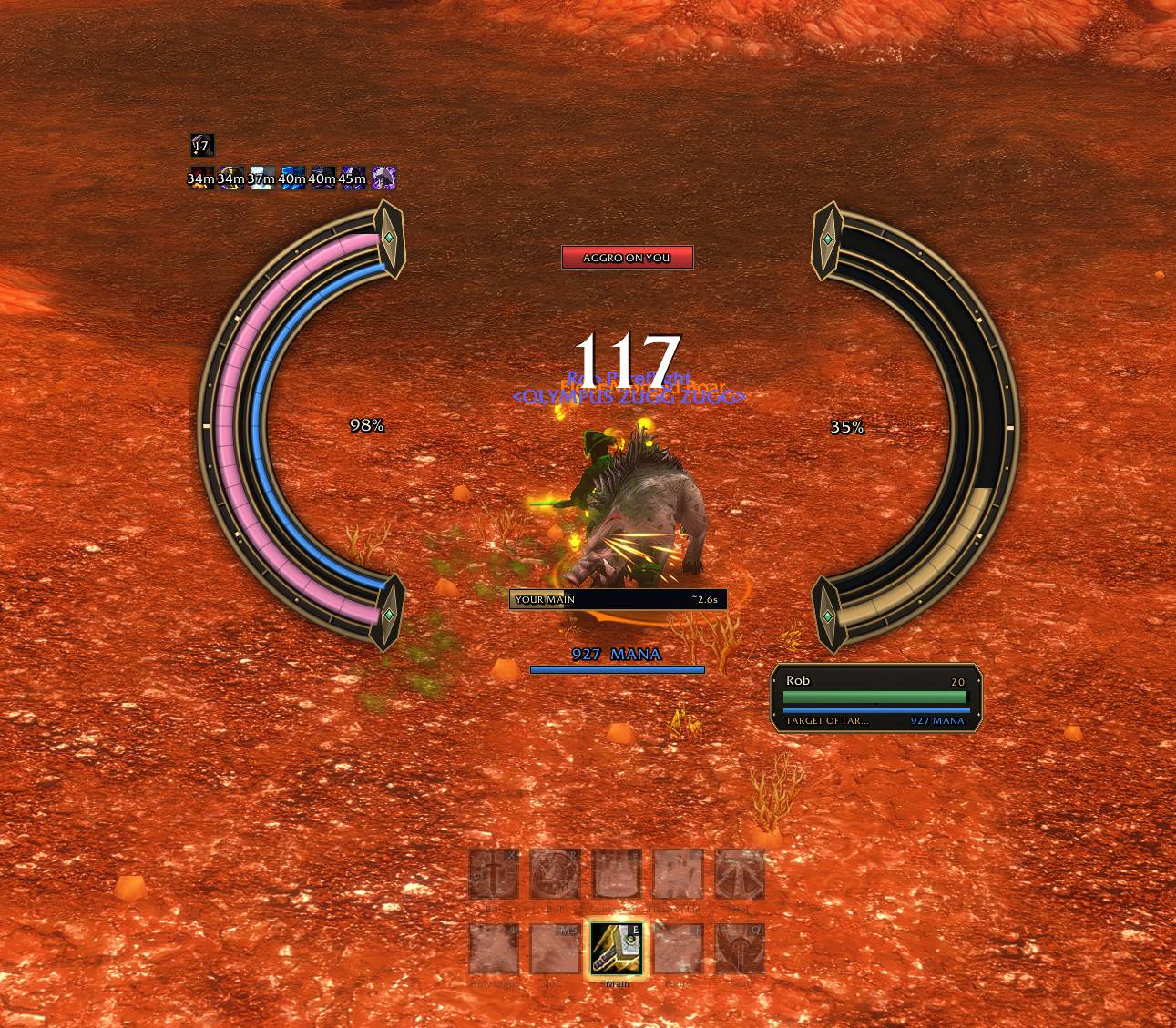
The GodMacro bar previews the installed action and its readable range, resource and cooldown checks. The Bulwark HUD puts health and power arcs, cast bars and a next-press tile near the action. Customize visual alerts, sounds and game voice lines for the signals your client supports.
Getting started
1. Install GodMacro, log in, and type /gm or click the minimap button.
2. Choose Blank macro or Build one for a guided start. For upkeep, open Recipes → Upkeep and choose Set up helper.
3. Review the spells, recipients and items. For buffing friendly strangers, choose My target only or My target, then group; Group only deliberately excludes them.
4. Choose Bind a key or Make a bar macro, then check the next-action display before pressing it.
5. Use /gm test to investigate a key, /gm doctor to check client support, and /gm log when reporting a problem.
What to expect on the Forever beta
Actions require your input. GodMacro is not unattended automation. Upkeep planning happens out of combat; combat keys cannot freely choose new recipients or swap consumables during a fight. Some actions, such as pet feeding and weapon enhancements, also require a targeting-cursor click.
A preview is not a guarantee. Forever can hide health, mana and other information—even outside combat. GodMacro reports unavailable checks rather than inventing a value. Some health cues are game-drawn only; healing and recovery may need manual continuation. Features vary by client, and beta changes can affect behavior. Offline checks do not replace live playtesting.
Protect your layout. The beta has lost saved settings for some players. Use /gm layout and the included offline Keep-My-HUD.html to create a layout-backup addon.
Feedback and release details
Found a problem or have an idea? Leave a comment with your class, client build and what happened. /gm log helps capture useful details. Bug fixes and version-specific changes belong in each release's changelog; this page is the overview.
Credits
Built by Rob, for his brother. The in-game Credits page tells the rest.
GodMacro stands on the shoulders of LazyScript and GSE, which proved what a one-button macro can be.
Sounds: 16 cues synthesised for GodMacro, and 40 alert sounds made with ElevenLabs' sound-effects generator.
What works in combat on Forever was learned from the WeakAuras family, who mapped what the game lets an addon see: EverAuras by Hackblarvest, ForeverAuras by neroxrw and M33kAuras by m33shoq, all built on WeakAuras 2 by the WeakAuras team. Their ideas, GodMacro's own code. Thank you.
You must be logged in to leave a comment.