

Forever-Essentials
Forever Essentials - Forever QoL addon
Details
Expansion
 Forever
 Categories
Developers

Having issues?
✨ Forever Essentials
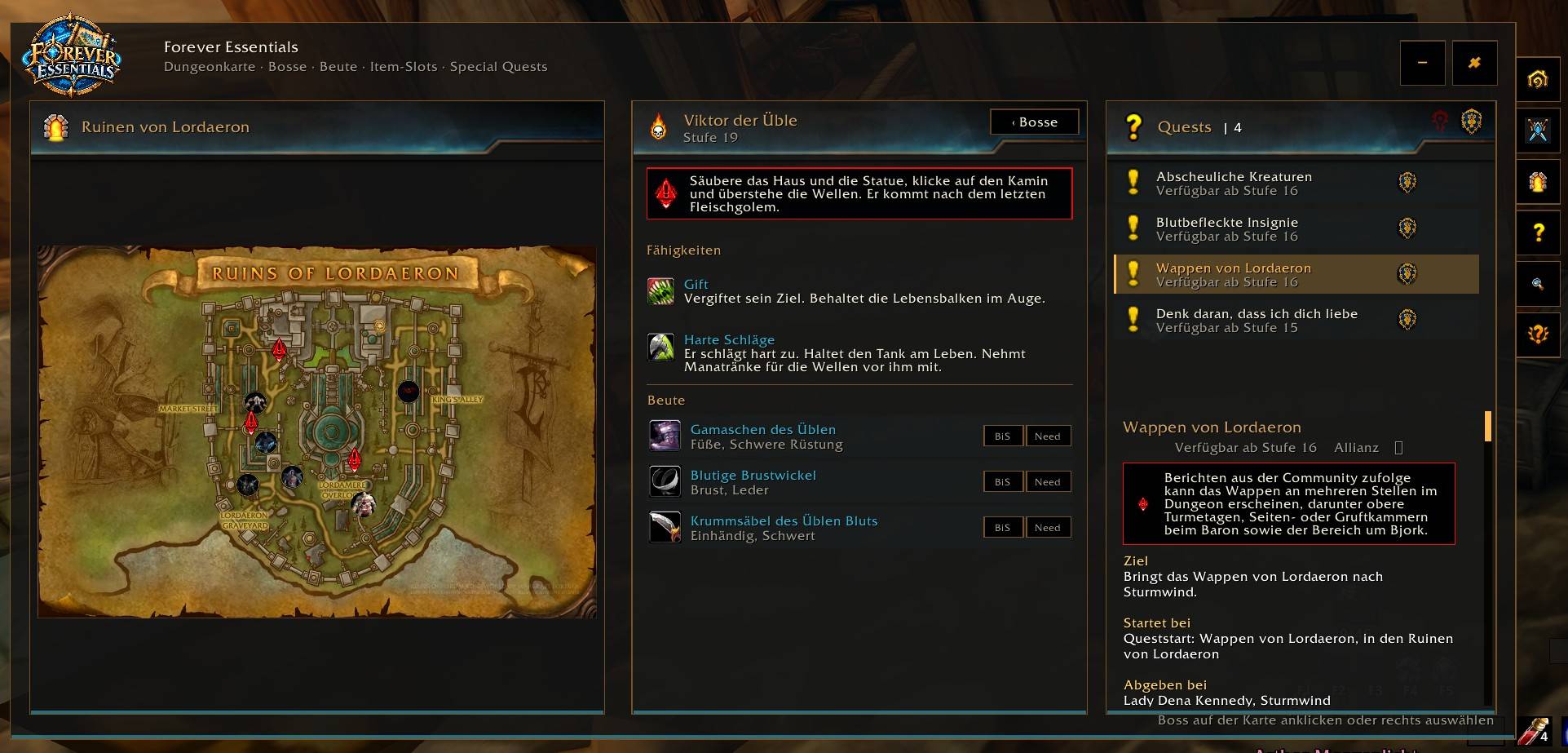
Your companion for WoW Forever: explore dungeons, find boss loot, and keep track of wanted items and special quests.
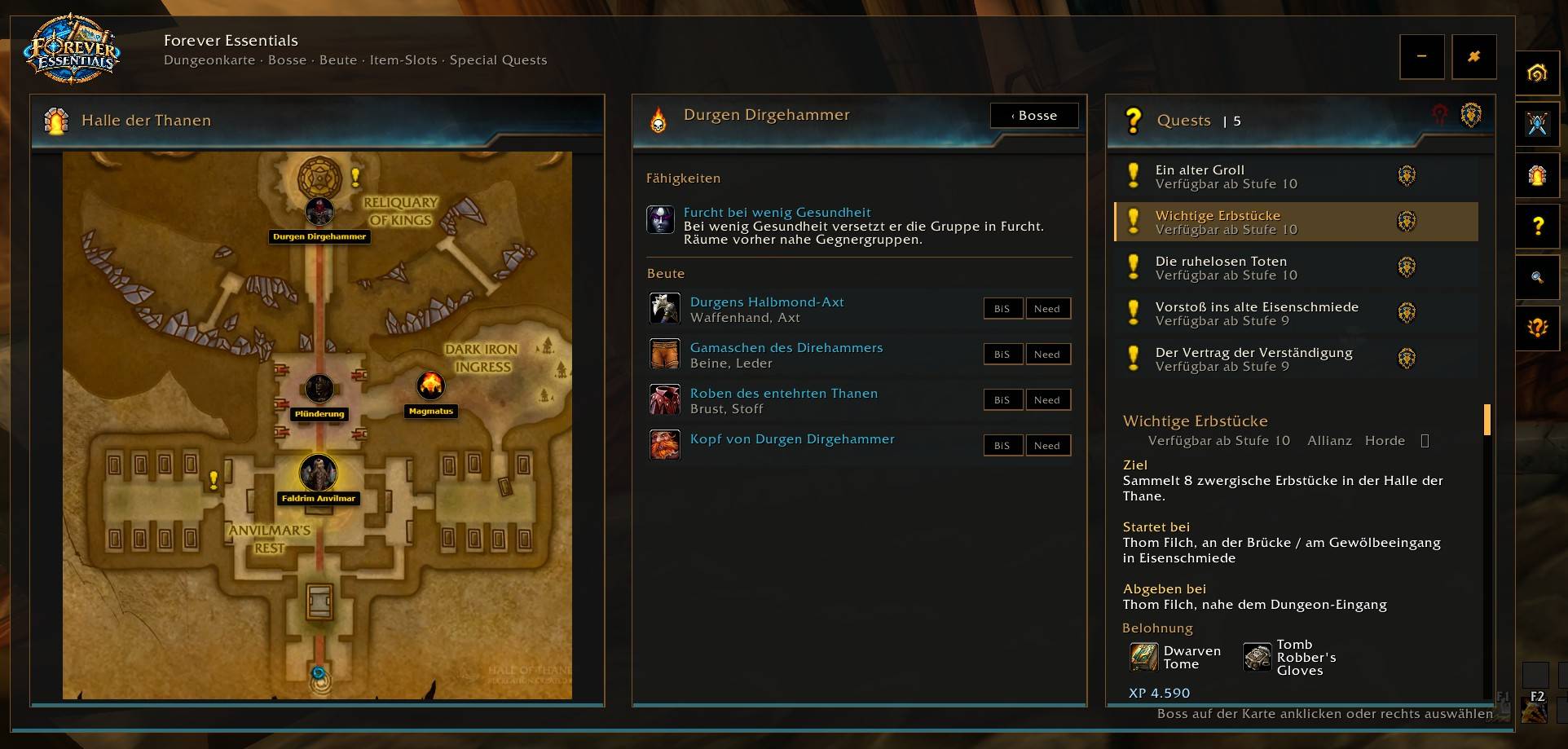
🗺️ Dungeons and maps
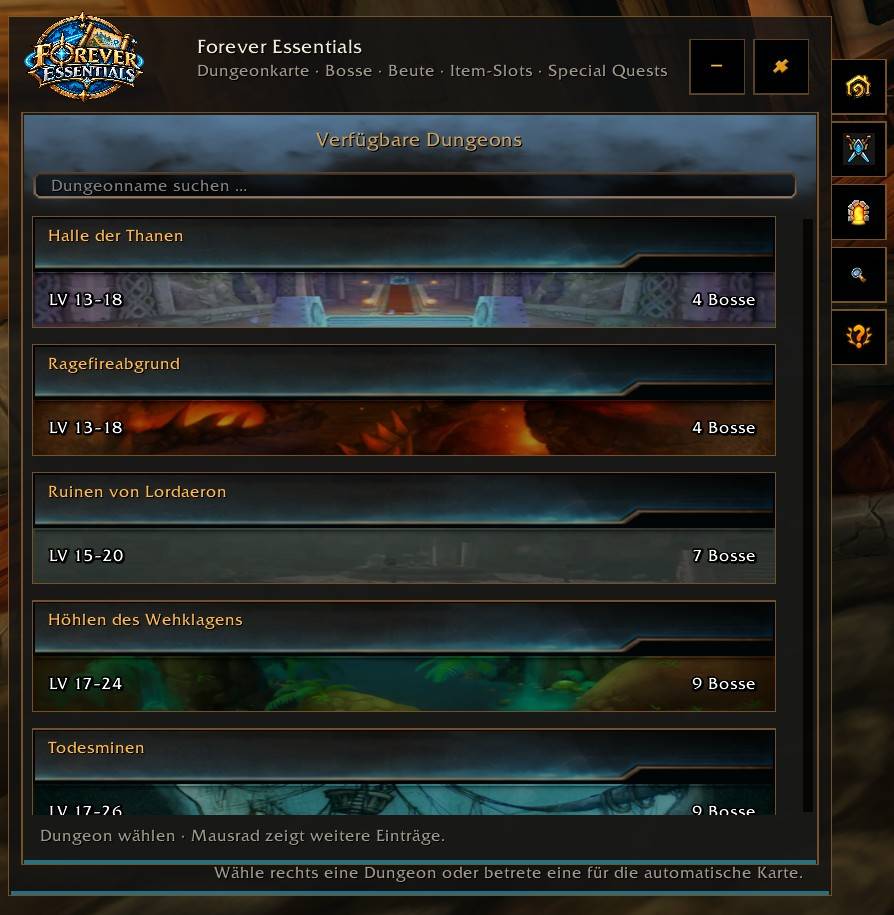
Browse the dungeon catalog with level ranges and available boss information.
Let the addon detect your current dungeon automatically or choose one yourself.
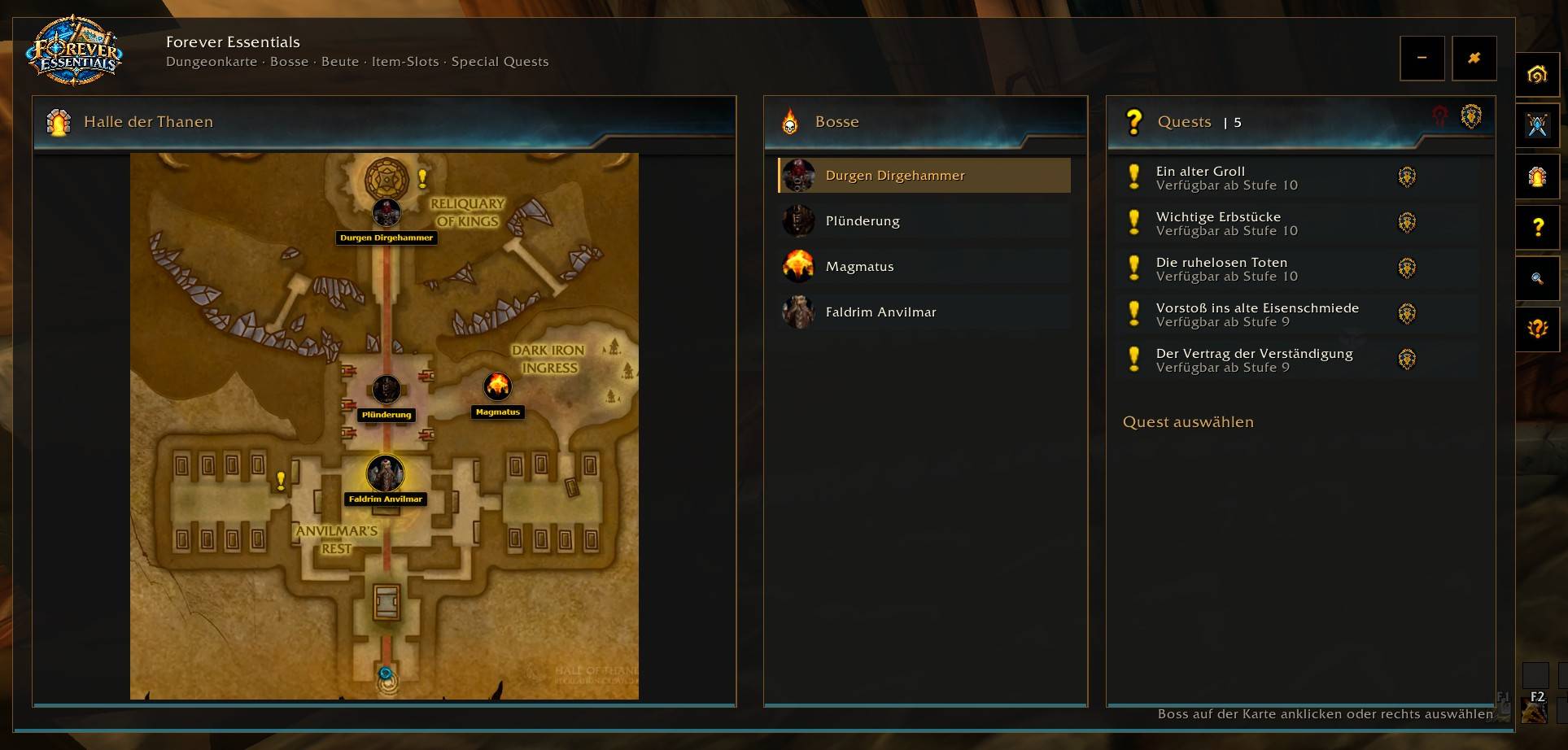
Explore supported dungeon maps and select bosses directly on the map or from the boss list.
View boss abilities, loot, and in-game item tooltips in the addon.
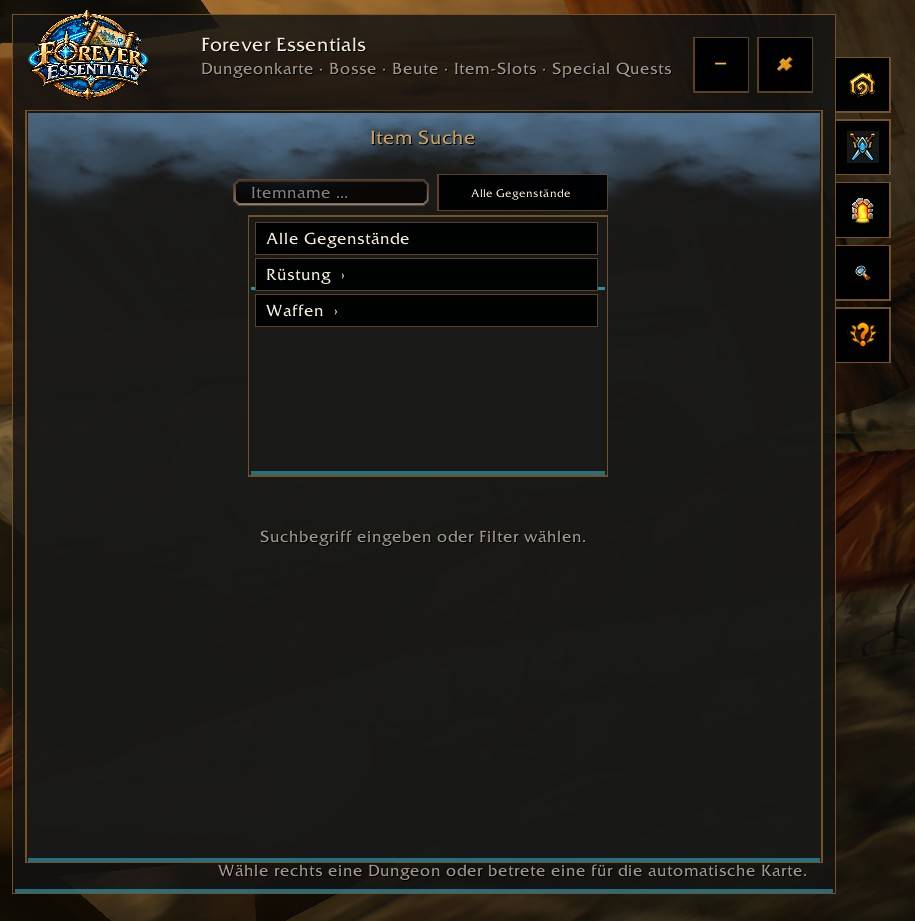
🎒 Item search
Search by item name or filter by armor type, equipment slot, and weapon type.
Find out which dungeon and boss can drop an item.
Open the relevant boss view with a click.
⭐ Item favorites
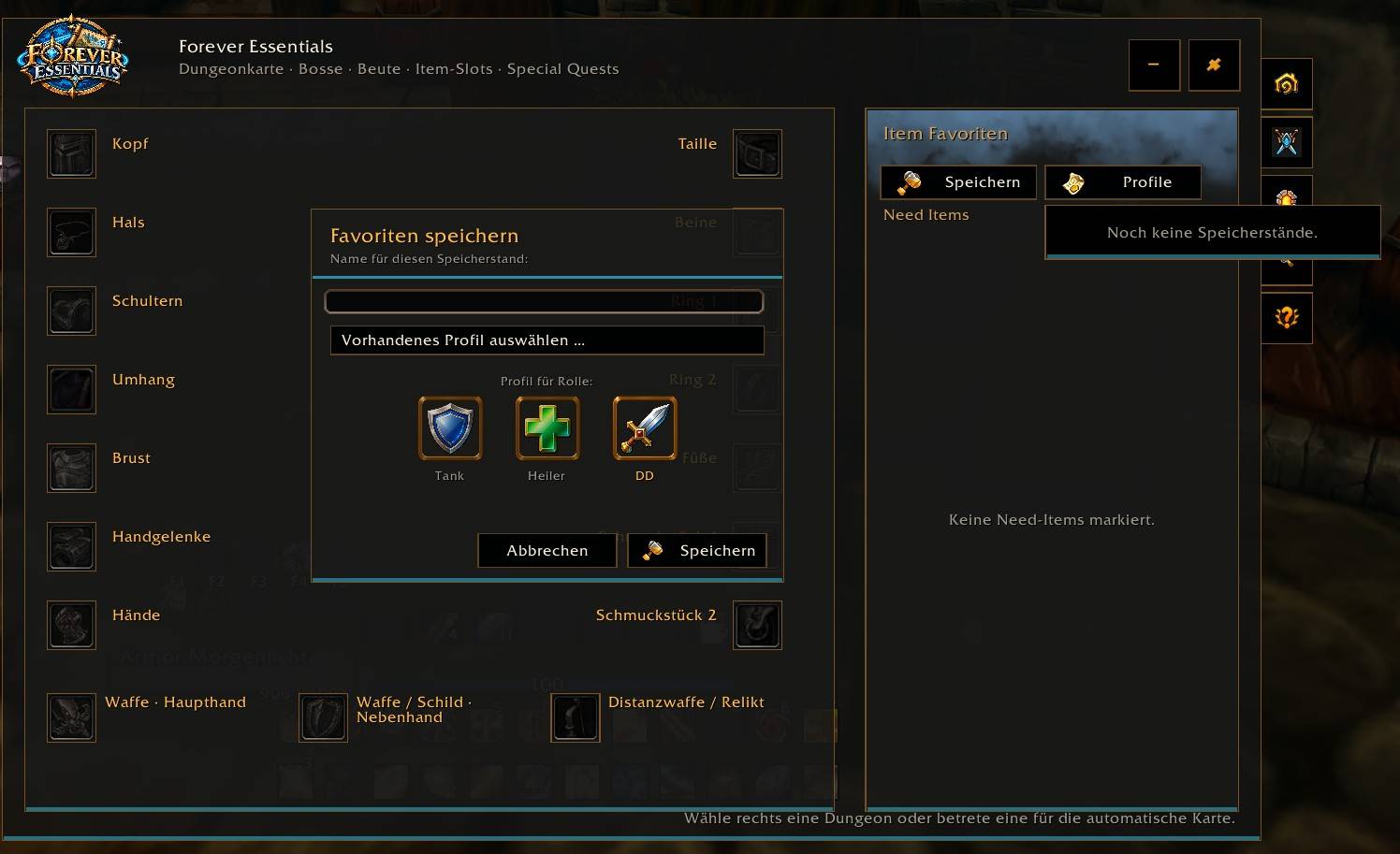
Mark items as BiS or Need.
Review your selections in an equipment overview organized by item slot.
Get an alert when a marked item appears in the loot window or loot chat—even while the addon window is closed.
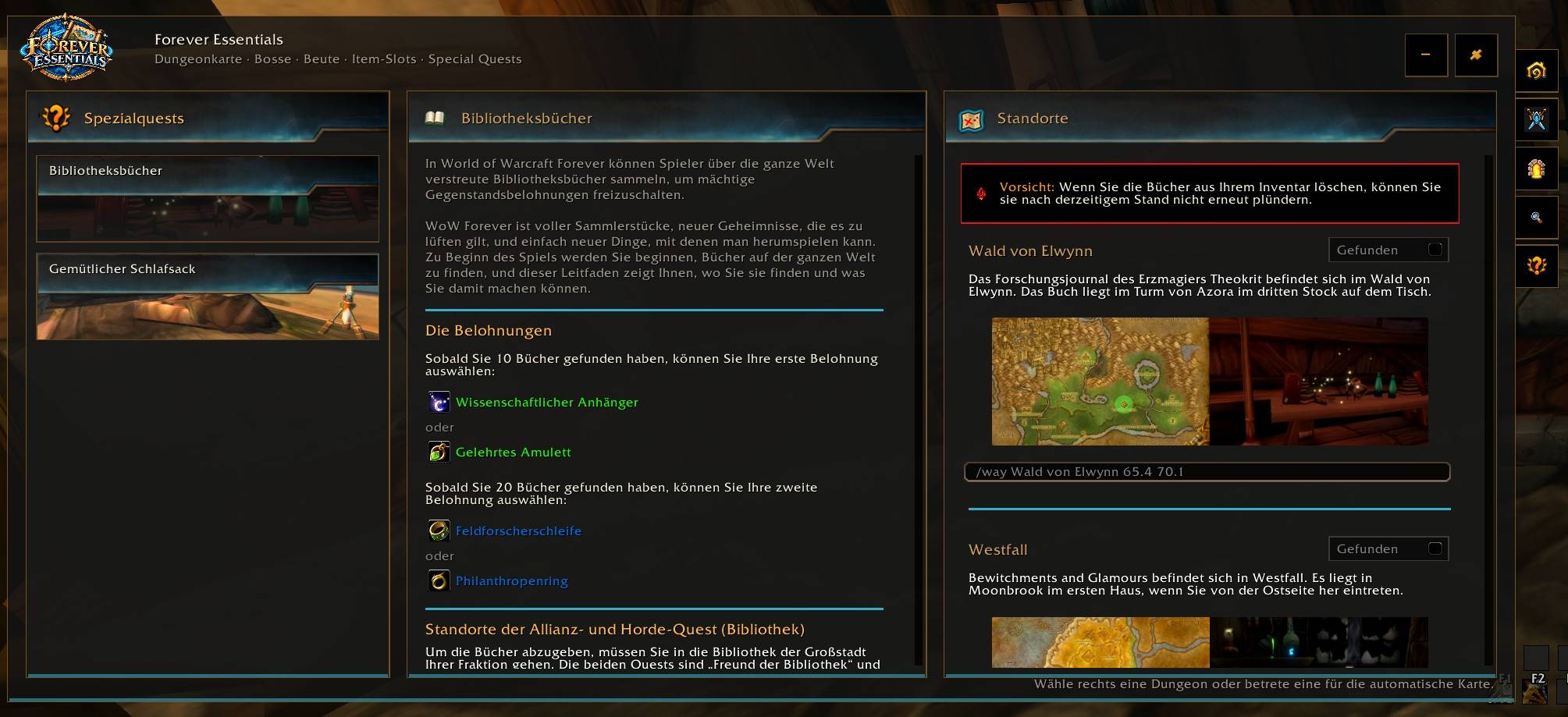
📜 Special quests and locations
Follow step-by-step guides for available special quests, including the Library Books and the Cozy Sleeping Bag.
Find location descriptions, maps, and screenshots.
Use waypoints to navigate to locations in-game.
⚙️ Quick access
Open or close the addon with /dgm, /dungeonmap, or /dungeongroupmap. In automatic mode, the addon detects supported dungeons for you.
Map, boss, and loot data coverage varies by dungeon and is shown in the addon.
✨ Forever Essentials
Dein Begleiter für WoW Forever: Entdecke Dungeons, finde Boss-Beute und behalte deine Wunsch-Items und Spezialquests im Blick.
🗺️ Dungeons und Karten
Durchsuche den Dungeon-Katalog mit Levelbereichen und verfügbaren Bossinformationen.
Lass den aktuellen Dungeon automatisch erkennen oder wähle ihn selbst aus.
Erkunde unterstützte Dungeonkarten und wähle Bosse direkt auf der Karte oder in der Bossliste aus.
Sieh Bossfähigkeiten, Beute und Item-Tooltips direkt im Add-on.
🎒 Itemsuche
Suche nach Gegenstandsnamen oder filtere nach Rüstungstyp, Ausrüstungsslot und Waffenart.
Finde heraus, in welchem Dungeon und bei welchem Boss ein Gegenstand erhältlich ist.
Öffne mit einem Klick die passende Bossansicht.
⭐ Item-Favoriten
Markiere Gegenstände als BiS oder Need.
Behalte deine Auswahl in einer Übersicht nach Ausrüstungsslots im Blick.
Erhalte eine Benachrichtigung, wenn ein markiertes Item in Beutefenster oder Beute-Chat erscheint – auch wenn das Add-on-Fenster geschlossen ist.
📜 Spezialquests und Standorte
Entdecke Schritt-für-Schritt-Hilfen zu verfügbaren Spezialquests, darunter die Bibliotheksbücher und der gemütliche Schlafsack.
Finde Beschreibungen, Karten und Bilder zu den Standorten.
Nutze die Wegpunkte, um Fundorte im Spiel leichter anzusteuern.
⚙️ Schnellzugriff
Öffne oder schließe das Fenster mit /dgm, /dungeonmap oder /dungeongroupmap. Im automatischen Modus erkennt das Add-on unterstützte Dungeons selbst.
Der Umfang an Karten-, Boss- und Beutedaten ist je nach Dungeon unterschiedlich und wird im Add-on angezeigt.
You must be logged in to leave a comment.