
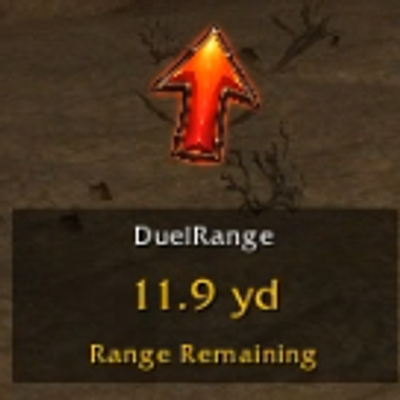
DuelRange
Displays distance from duel flag once a duel is initiated. Disappears when duel is over.
Details
Expansion
 Forever
 Categories
Developers

Having issues?
Displays draggable text box with distance from duel flag once a duel is initiated. Disappears when duel is over.
Also an arrow shows the direction of the duel flag, helping to point the player back in the direction of the duel flag.
Can be reset with "/duelrange reset", which will hide the display in the event it gets stuck.
"/duelrange test" will allow testing by casting hearthstone to simulate duel inititiation.
"/duelrange live" will switch back to normal mode.
"/duelrange options" can be used to open an options window that will allow you to customize some display settings
Note that the duel range is set to 77 yards, which is reported to be the duel range in Forever. The addon will warn you when you approach / exceed that range from the duel flag. However, if the addon is incorrect, it will still trigger based on the event that fires when the game has detected that you've exited the duel range.
On initiation of a duel, the addon stores the player's UnitPosition and uses that as a reference to calculate distance from duel flag. This may result in some variance between the stored value and the real location of the duel flag. The duel flag appears at the intersection of the player and duel opponent, and duel initiation range is about 10 yards. So preferably, duels will be initiated with the player and opponent as close to each other as possible, but even if not, the max variance would be about 5 yards.
This is a fairly simple addon developed with the upcoming WoW: Forever duel tournament in mind.
Future improvements could be:
- A command could be added that allows the sweatiest players to manually set the position of the duel flag by standing on the flag and entering the command, i.e. /duelrange set
Open to any recommendations for further improvements.
You must be logged in to leave a comment.