
Combo Points on Plate
Shows your combo points above your target's nameplate on WoW Forever.
Details
Expansion
 Forever
 Categories
Developers

Having issues?

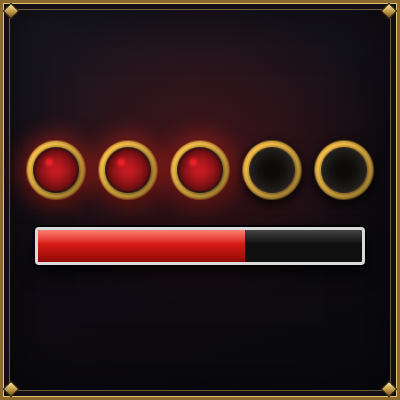
Combo Points on Plate shows your combo points right where you are looking: on your target's nameplate, or at a spot above your character. Designed for rogues and cat-form druids on World of Warcraft: Forever.

Features
- Combo points on your target's nameplate, and on the target frame too
- Or above your character, at a spot you choose with sliders or by dragging the row with the mouse
- Choose when the row above your character appears: only with combo points, during combat, or always
- Seven styles: Classic, Silver, Square, Glow, Flat, Diamond, and the original Blizzard art
- Any color you like, with quick presets and a full color picker
- Works inside dungeons
- Every change shows live, in the options window and in game

Options
Type /cpp to open the options window, also listed under Options > AddOns.
Location: on the enemy nameplate, or above your character. The window only shows the options for the location you pick.
- On the nameplate: above or below the health bar, horizontal offset, distance from the bar, and what to do when the target has no nameplate (show on the target frame, or hide)
- Above my character: show the row with points, in combat, or always. Move it with the Left/right and Down/up sliders, or unlock it and drag it with the mouse
Appearance
- Size: dot size and spacing between dots
- Style: Classic (default), Silver, Square, Glow, Flat, Diamond, or the original Blizzard art
- Color: nine presets or any custom color
- Target frame: keep the points on the target frame as well (on by default)
Preview: a sample nameplate, or a small version of your screen, follows every change. While the window is open, a test row also appears in game so you can see the real result.
Share / backup: copy your settings as a short text to keep a backup or share your setup with friends.
How it works
Combo Points on Plate draws its own row of points and leaves Blizzard's display on the target frame. The game itself keeps handling the counting: the addon only displays the values, which makes it fully compatible with Forever's protected combat values. It adds no combat calculations of its own.
Commands
| Command | Effect |
|---|---|
/cpp | Open the options window |
/cpp location nameplate / /cpp location player | On the enemy, or above your character |
/cpp above / /cpp below | Dots above or below the health bar |
/cpp show points / combat / always | When the row above your character is visible |
/cpp unlock / /cpp lock | Drag the row above your character with the mouse |
/cpp style classic (or silver, square, glow, flat, diamond, blizzard) | Change the dot style |
/cpp copy on / /cpp copy off | Keep the points on the target frame too, or not |
/cpp reset | Restore default settings |
/cpp off | Back to the target frame only, until the next reload |
/cpp debug | Technical details for bug reports |
Feedback and bug reports
World of Warcraft: Forever is in active development and its interface may change between builds. If the display stops working, target a mob, type /cpp debug, and post the output together with a screenshot in the comments.
Support
If my addons make your adventure a little smoother, consider buying me a coffee. They're free and they'll stay that way. I build them in my spare time and keep them working through every Forever beta build. Every coffee helps me keep going. Thank you!

You must be logged in to leave a comment.