
BetterBags – AIO (All-In-One)
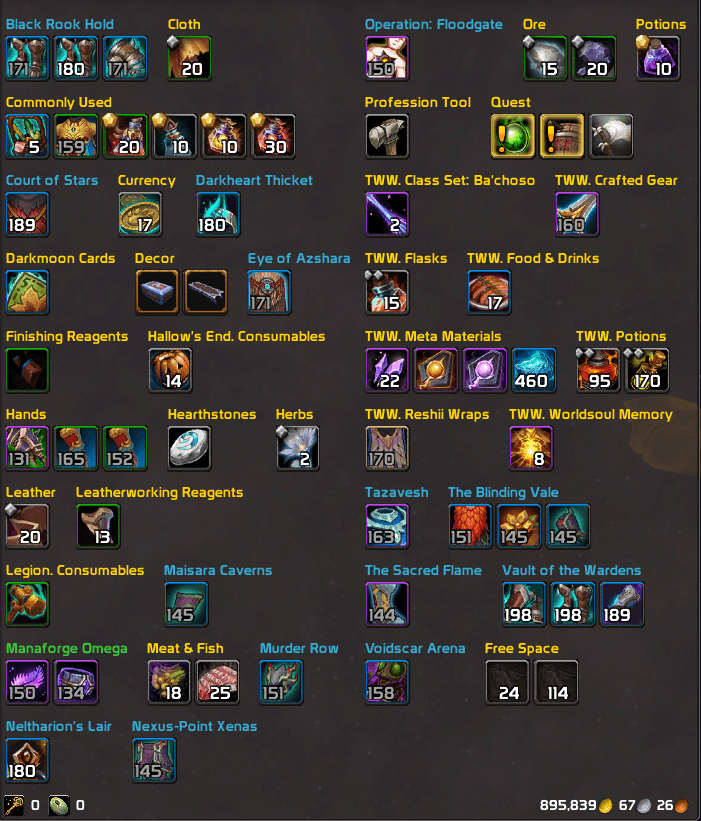
BetterBags plugin that adds automatic item categories for all expansions, consumables, professions, and world events, all in one addon.
Details
Addon ID:
24877
Addon Version:
0.30.5
Expansion:
1.60
Upload date:
Oct 06, 2026
Last Updated:
Oct 06, 2026
Downloads:
Less than 100
Website:
Source Link
Expansion
 Forever
 Categories
Developers

M05final
Creator
Having issues?
BetterBags - AIO (All-In-One)
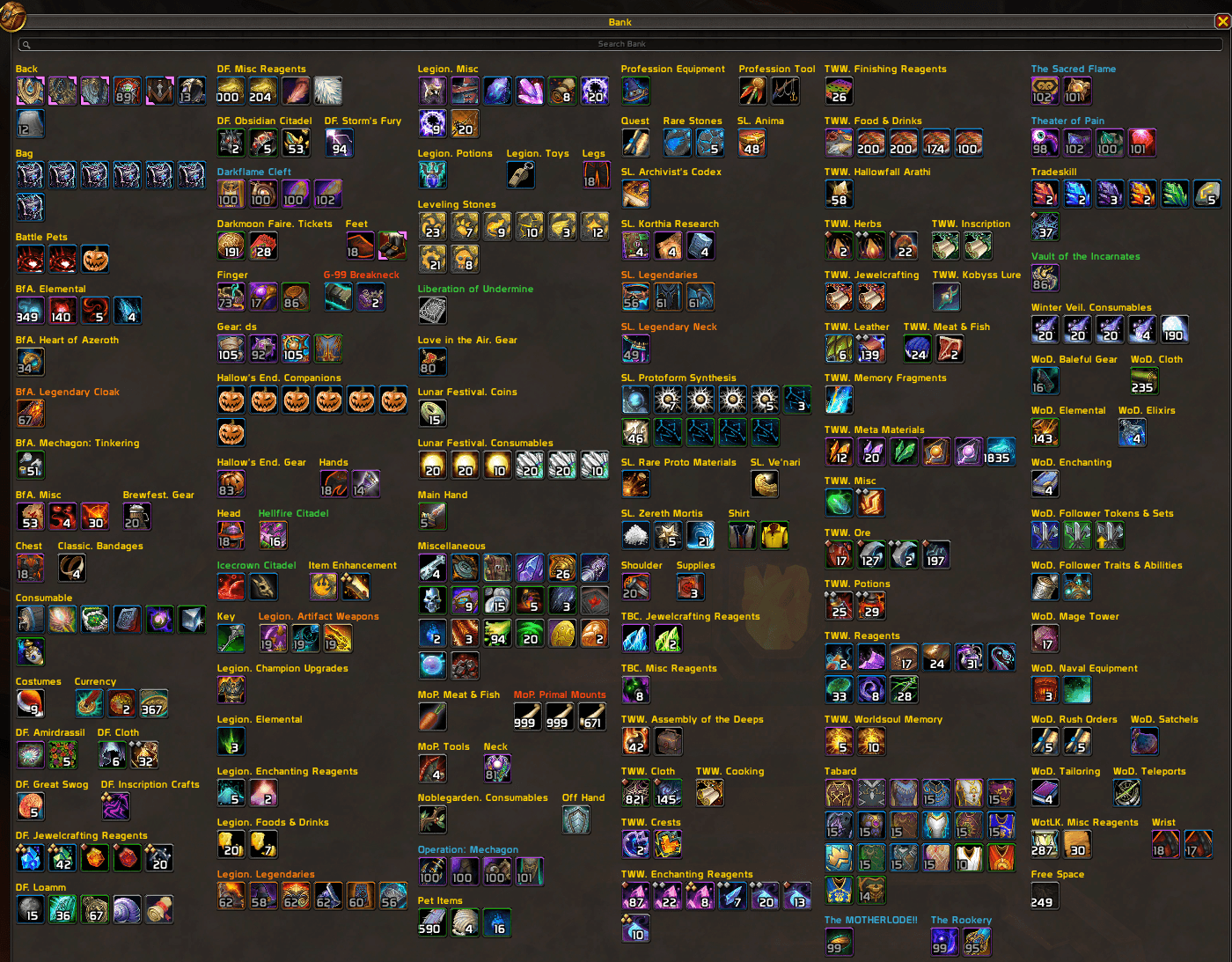
BetterBags AIO is a plugin for BetterBags that automatically organizes your items into categories for every expansion and world event in World of Warcraft. Consumables, profession materials, reputation items, collectibles, and more - all in a single addon.
Download BetterBags at Cidan/BetterBags or CurseForge.
Game Version Support
| Client | Status |
|---|---|
| Retail | Fully supported |
| Classic Era | Fully supported |
| TBC Classic | Fully supported |
| Wrath Classic | Fully supported |
| Cataclysm Classic | Fully supported |
| MoP Classic | Fully supported |
| Classic+ / WoW Forever | Supported (content updates ongoing) |
Getting Started
- Install BetterBags (required)
- Install BetterBags AIO
- Open your bags - items are categorized automatically
- Right-click your bag frame > Plugins > AIO Categories to open the options panel
- Check the Getting Started page inside the panel for a walkthrough
What Gets Categorized
Covers all 12 expansions, world events, and shared collectibles.
Expansions
| Expansion | Highlights |
|---|---|
| Midnight | Dungeons, Raids, Delves, M+, PvP, Housing, Professions, Zones |
| The War Within | Delves, M+, PvP, Vendor Gear, Professions, Zones |
| Dragonflight | Dragonriding, M+, PvP, Professions, Zones |
| Shadowlands | Covenants, Raids, Dungeons, PvP, Professions |
| Battle for Azeroth | Island Expeditions, Warfronts, Horrific Visions, Heart of Azeroth |
| Legion | Class Halls, Raids, Dungeons, Remix |
| Warlords of Draenor | Garrisons (24 categories), Professions |
| Mists of Pandaria | Zones, Raids, Dungeons, Professions |
| Cataclysm | Zones, Raids, Dungeons, Professions |
| Wrath of the Lich King | Zones, Raids, Dungeons, Professions |
| The Burning Crusade | PvP, Professions |
| Classic | PvP, Professions, World Drops |
Collectibles
| Type | Includes |
|---|---|
| Mounts | All expansions |
| Pets | All expansions |
| Toys | All expansions |
| Hearthstones | Hearthstones and teleportation items |
| Heirlooms | Heirloom gear and upgrade tokens |
| Housing | Decorations, dyes, and services |
World Events
| Type | Events |
|---|---|
| Holidays | Brewfest, Children's Week, Day of the Dead, Feast of Winter Veil, Hallow's End, Harvest Festival, Love is in the Air, Lunar Festival, Midsummer Fire Festival, Noblegarden, Pilgrim's Bounty, Pirate's Day, WoW Anniversary |
| Recurring | Darkmoon Faire, Timewalking, Trial of Style |
| Limited | Legion Remix, MoP Remix, Plunderstorm, Greedy Emissary |
| Micro Events | Call of the Scarab, Free T-Shirt Day, Glowcap Festival, Luminous Luminaries, Moonkin Festival, Thousand Boat Bash, Ungoro Madness |
Options Panel
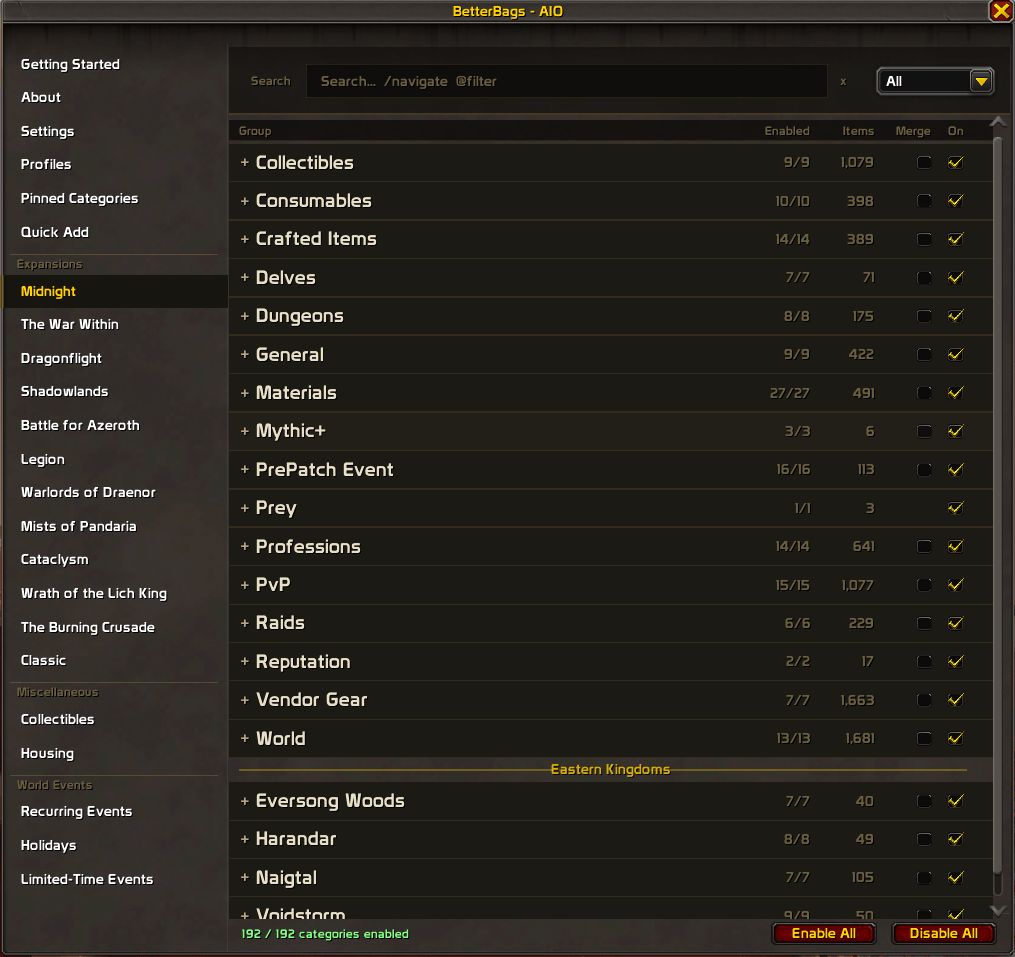
Built in options panel with search, category editing, profiles, and more.
- Sidebar navigation to browse by expansion, world event, or content type
- Global search on every page with keyword filters (@raids, @midnight, @cloth, @enabled). Shift-click items from your bags into the search bar.
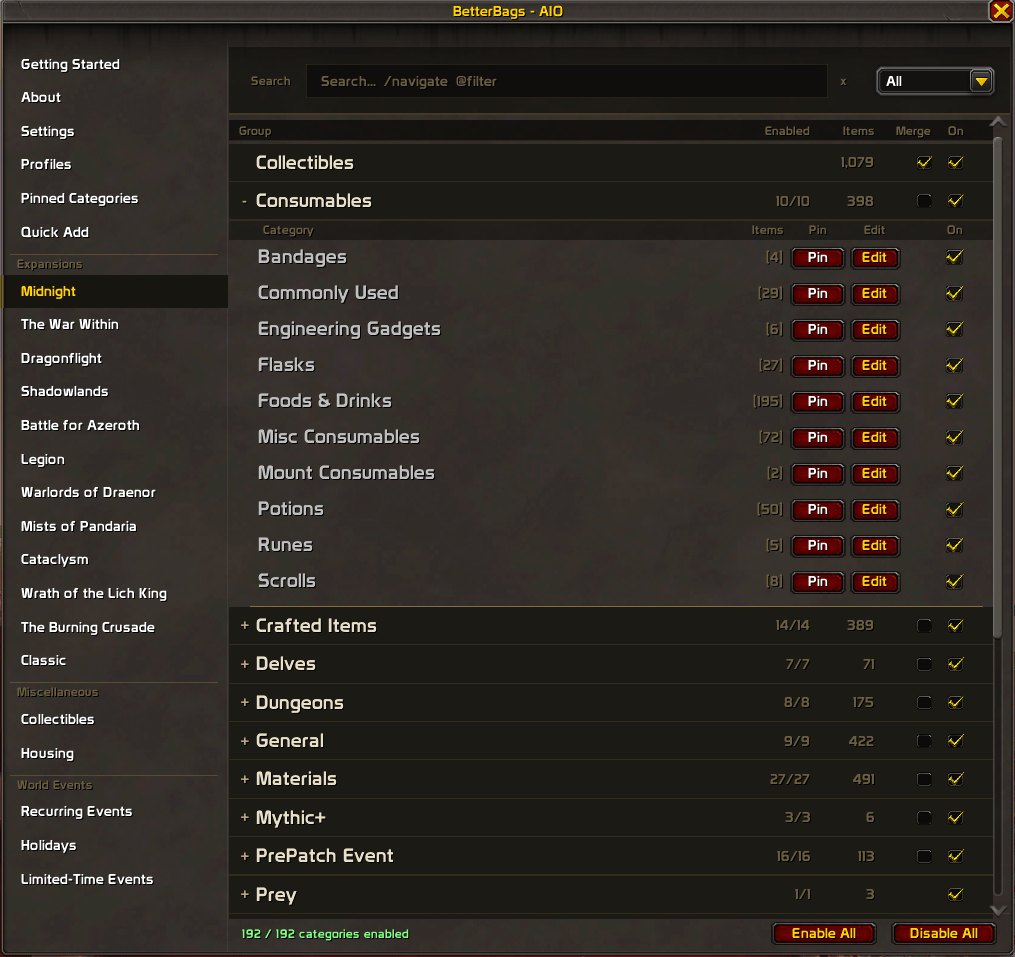
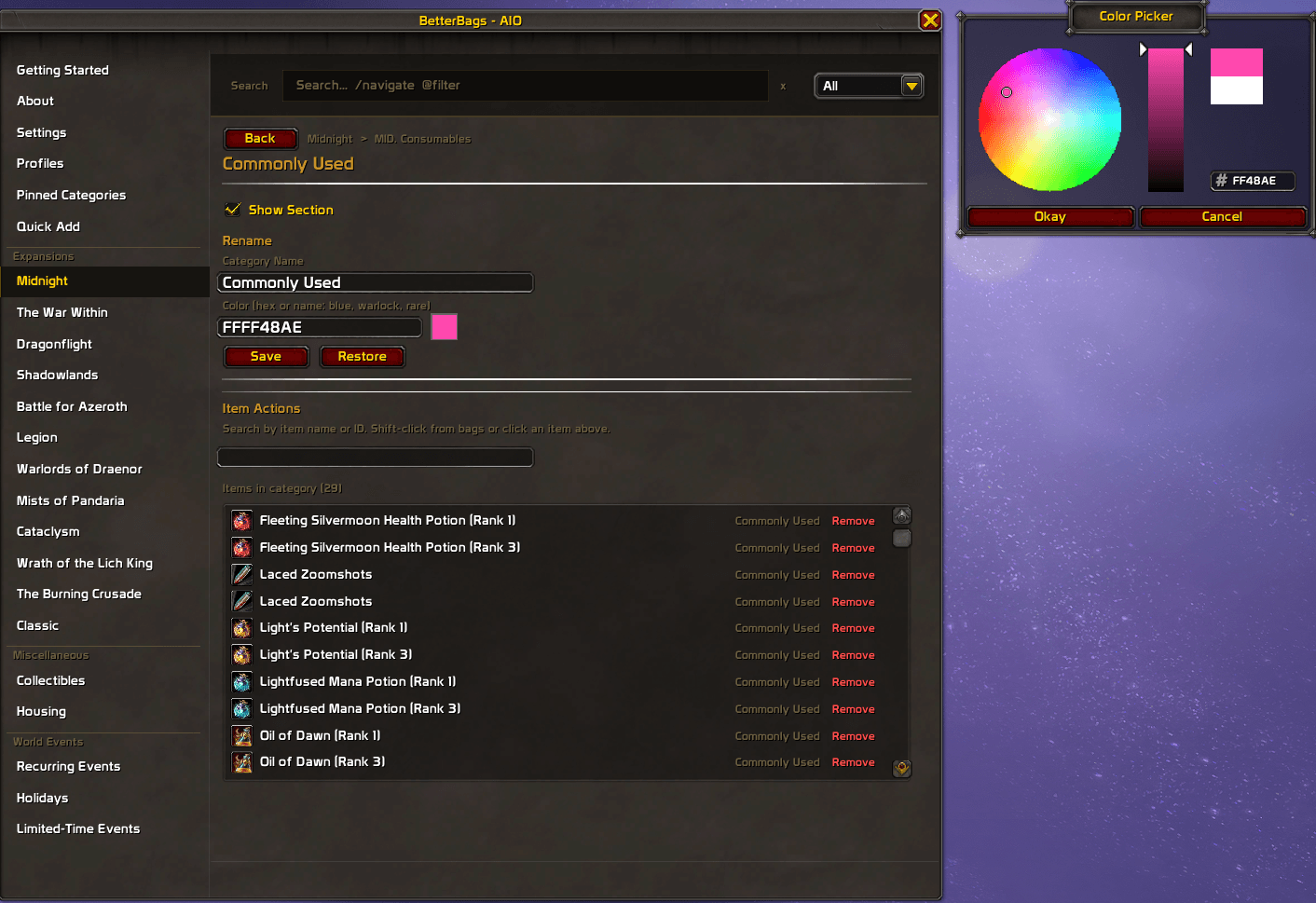
- Category editor to add, remove, or move items between categories. Green/red rows show what changed.
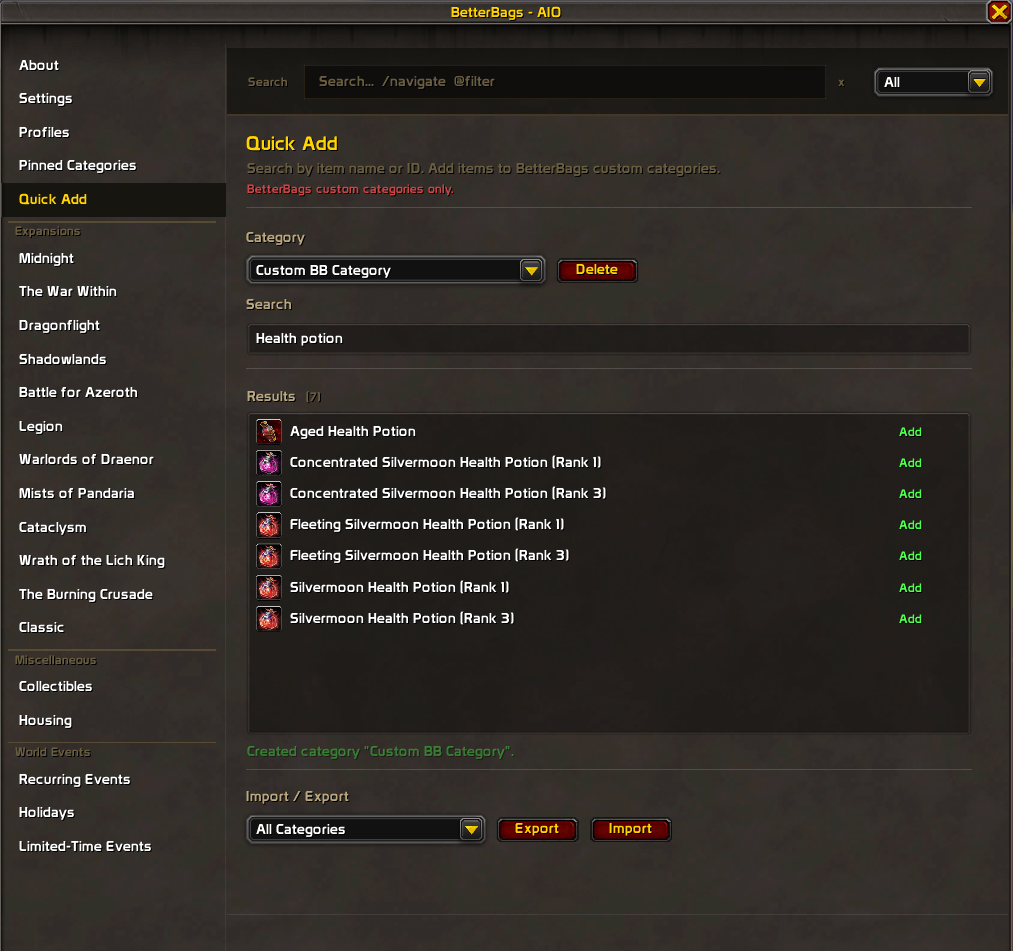
- Quick Add to create your own BetterBags categories with import/export for sharing setups.
- Getting Started guide built into the panel for new users
Features
- Category presets - All Enabled, Current Expansion, PvE, PvP, Collectibles, Crafting, Disable All
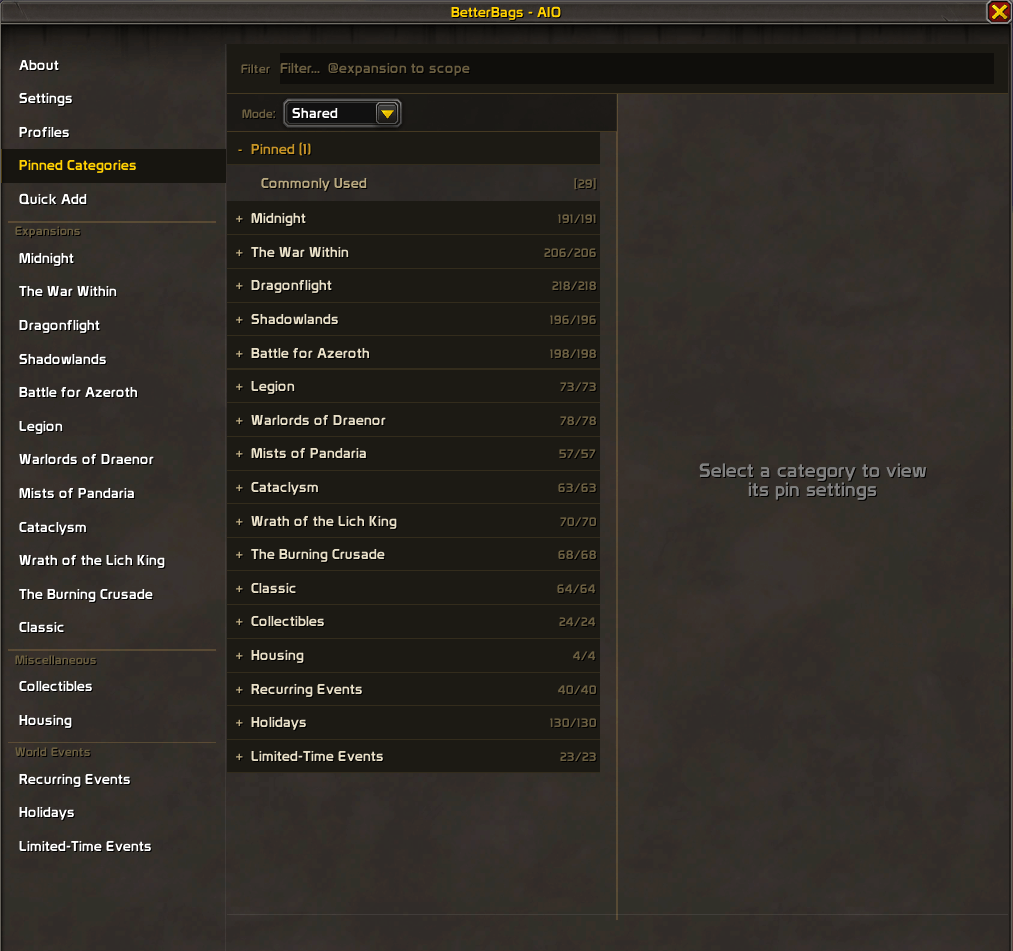
- Pin & Sort - pin categories to the top of your bags in a custom order. Per-category sort rules or global sort presets. BetterBags built-in categories (Armor, Junk, etc.) can be pinned alongside AIO categories. Works on bags and bank together or separately.
- Per-category sort override - three-tier dropdowns (Expansion > Group > Category > Sort Rule)
- Sort presets - Expansion Order, Alphabetical (A-Z / Z-A), Quality, Quality + Item Level
- Merge - collapse a group's subcategories into one bag section
- Per-character profiles - create, copy, rename, delete, export/import. Category settings and custom names save per profile.
- Category renaming - custom name and color per category. Hex codes, color names (blue, warlock, rare, dungeon), or the visual color picker.
- Rename from your bag - Shift+Right-click any section header. Right-click for the context menu.
- Prefix controls - hide expansion prefixes, raid/dungeon prefixes, or all prefixes at once.
- Prefix editing - rename or hide individual prefixes per expansion or event from the Override Prefixes panel.
- Category tooltip - hover any item to see which AIO category it belongs to
- Section collapse - collapse and expand sections in your bags
- Abbreviations - shorten event prefixes (Darkmoon Faire to DMF, Hallow's End to HE, Winter Veil to WV)
- Hide Free Space - hides the empty slot count at the bottom of your bags
- Lite Mode - strips everything back to just expansion toggles
- Bulk actions - enable or disable all categories in an expansion at once
- Factory Reset - re-enables all categories, clears renames, resets settings, reloads UI
Keyboard Shortcuts
| Shortcut | Action |
|---|---|
| Shift+Click header | Pin or unpin a category |
| Shift+Right-click header | Rename a category |
| Right-click header | Context menu |
| Shift+Click bag item | Add item to search bar |
Feedback & Support
Found missing or miscategorized items, bugs, or have suggestions?
- Leave a comment on this page
- Join the Discord
Other Plugins by M05final
- BetterBags - Midnight
- BetterBags - The War Within
- BetterBags - Dragonflight
- BetterBags - Shadowlands
- BetterBags - Battle for Azeroth
- BetterBags - Legion
- BetterBags - Warlords of Draenor
- BetterBags - Mists of Pandaria
- BetterBags - Cataclysm
- BetterBags - Wrath of the Lich King
- BetterBags - Burning Crusade
- BetterBags - Classic
- BetterBags - Forever
- BetterBags - Quick Add
You must be logged in to leave a comment.