

MaisieCoolies
A cooldown manager, resource bars and DK rune tracker in one window
Details
Expansion
 Wrath of the Lich King
Categories
Developers

Having issues?
MaisieCoolies
A cooldown manager, resource bars and DK rune tracker in one window
For WoW 3.3.5a (WotLK) · built for the Grimfall classless custom client
Features
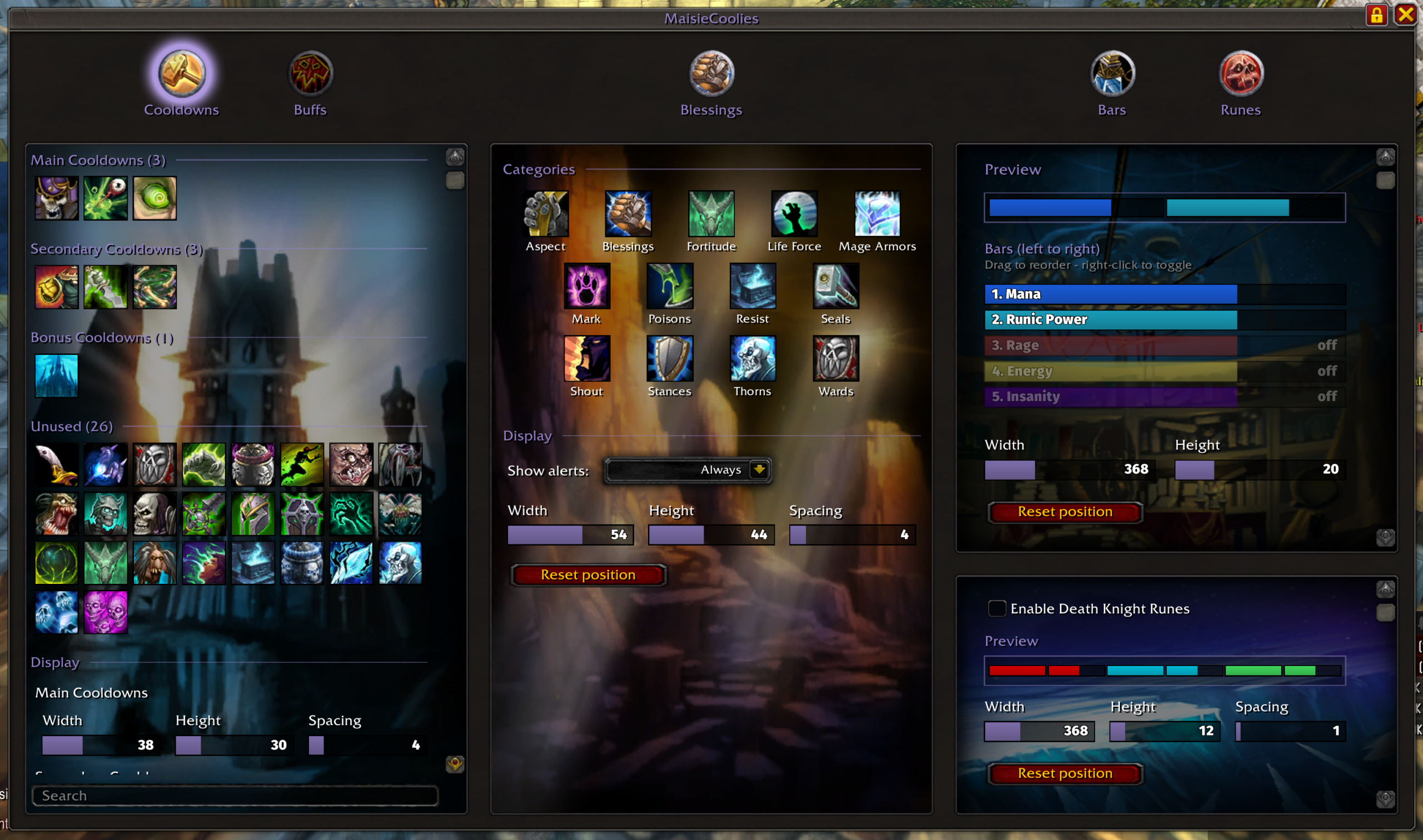
Cooldowns
- Spellbook-driven manager with four sections: Main, Secondary, Bonus and Unused. Every spell starts in Unused; drag spells between sections.
- On-screen cooldown rows for each section, with adjustable icon width, height and spacing.
- Cooldown desaturation: icons go grey while on cooldown.
- Buff pixel glow: click a spell and enter a buff name, and its icon gets an animated pixel glow while that buff is active.
- Row snapping: rows snap to each other while you drag them, with guide lines.
- Search box plus a global Lock/Unlock (cooldown rows, buff group, bars and runes all at once), in a scrolling panel over the Protection Paladin talent art.
Blessings
- Missing self-buff alerts for five categories: Stances, Mage Armors, Blessings, Seals and Poisons. The tab shows a row of category icons with names; click one to toggle it (dimmed = disabled).
- An on-screen alert icon appears for each enabled category you can use (you know a spell in it, have a stance/form, or carry poisons) when the buff is missing on you: no stance/form, no armor, no seal, no blessing you cast on yourself, or an unpoisoned weapon. If you only know one blessing and another paladin's version of it is already on you, the Blessings alert stays quiet.
- Show alerts: Always / Only in Combat dropdown, plus width, height and spacing sliders and its own mover with snapping. Only the player's own auras and weapons are checked.
Buffs
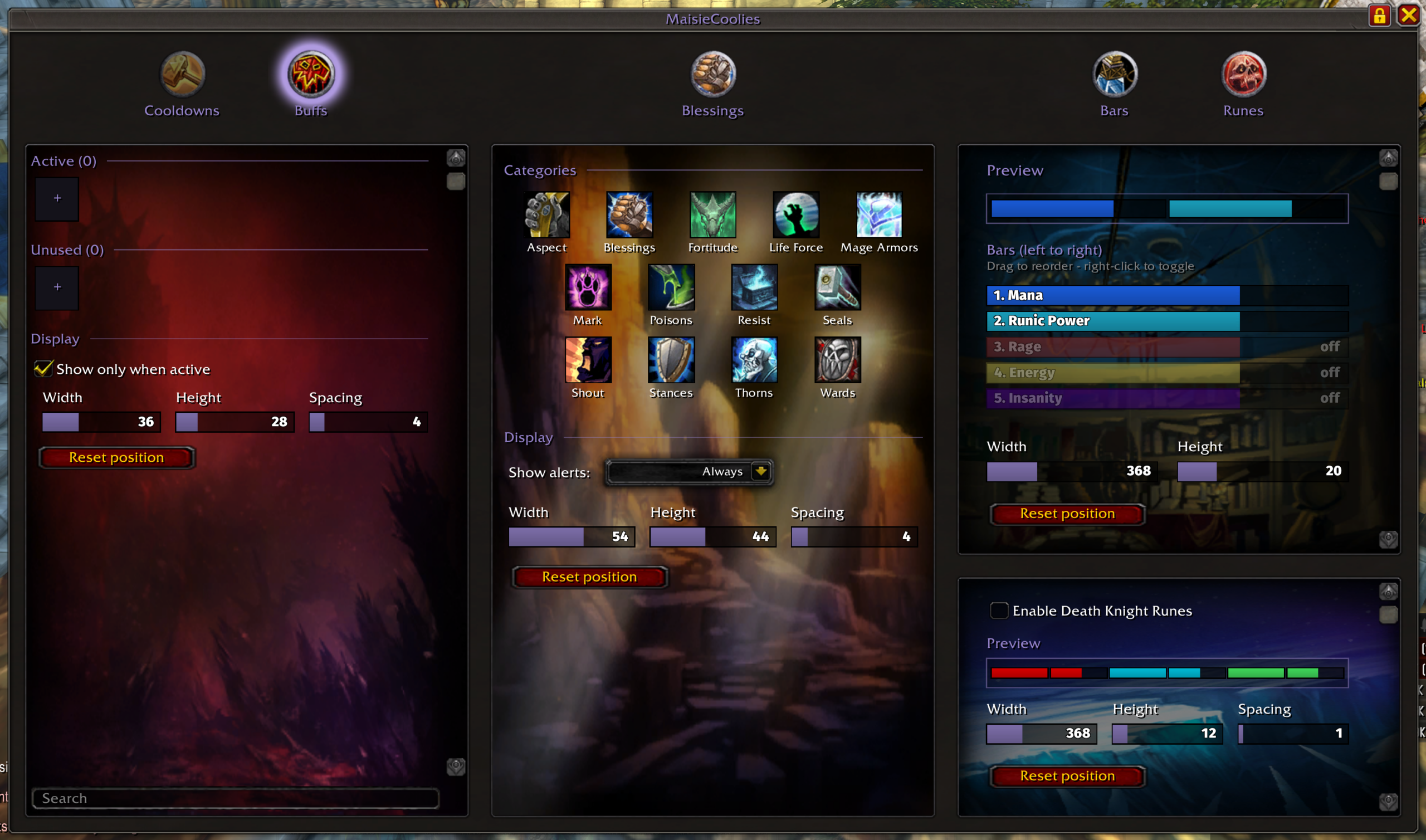
- Tracked player buffs in two categories, Active and Unused. Click the + tile in either one and type a buff or spell name; its icon is looked up automatically (spellbook, then a one-time background scan of spell IDs). Custom buffs the client can't look up get their icon the first time the buff is on you, and it's remembered.
- Drag buffs to reorder or move them between categories, right-click an Active buff to send it to Unused, and hover an Unused buff and click its red X to delete it.
- On-screen buff group with a duration swipe, timer and stack count. Show only when active is on by default; turn it off to always show the icons, greyed out while the buff is missing.
- Same search box, lock/unlock and scrolling panel as Cooldowns, over the Blood Death Knight talent art.
- Width, height and spacing settings; moves with `/mcool unlock`.
All movable frames snap (10px) to the screen centre and to the edges/centres of each other, with guide lines while dragging; edge-to-edge snaps leave a 3-pixel gap (real screen pixels, any resolution). Hold Shift while dragging to move freely without snapping.
Bars
- Mana, Energy, Runic Power, Rage and Insanity bars (Insanity uses debuff stacks, max 100).
- Preview rows: each bar is shown in its real colour and texture; drag to reorder and right-click to toggle it on or off.
- Live layout preview strip under the Preview heading, mirroring the on-screen layout as you change it.
- Total width and height settings.
Runes
- Death Knight rune bar: six segments in Blood / Frost / Unholy order that fill while recharging, with a countdown timer.
- Width, height and spacing settings, plus an Enable Death Knight Runes toggle.
Interface
- Window chrome in the style of Grimfall's Classless window, with round metal-socket tabs in the order Cooldowns · Buffs · Blessings · Bars · Runes.
- A single **purple accent** (#9482C9) used throughout.
- Fill-bar sliders: click or drag to set, mouse wheel to nudge (Shift = ×10), **right-click to type an exact value**.
## Slash commands
All settings live in the MaisieCoolies window; there are no separate Interface Options panels.
Settings
Settings are saved per character:
Credits
Media/Statusbar_Clean.blp: from WeakAuras, GPL-2.0.Media/FiraSans-Heavy.ttf, Media/FiraSans-Medium.ttf: by Mozilla / Carrois, SIL Open Font License 1.1.
## MaisieCoolies 1.1.2
- Blessing of Might counts for both Blessings and Shout.
- Any blessing you cast on yourself covers both Blessings and Shout.
- No alert when your buff is blocked by someone else's same or stronger buff (e.g. a warrior's Battle Shout vs Might).
You must be logged in to leave a comment.