
SimpleXPBar
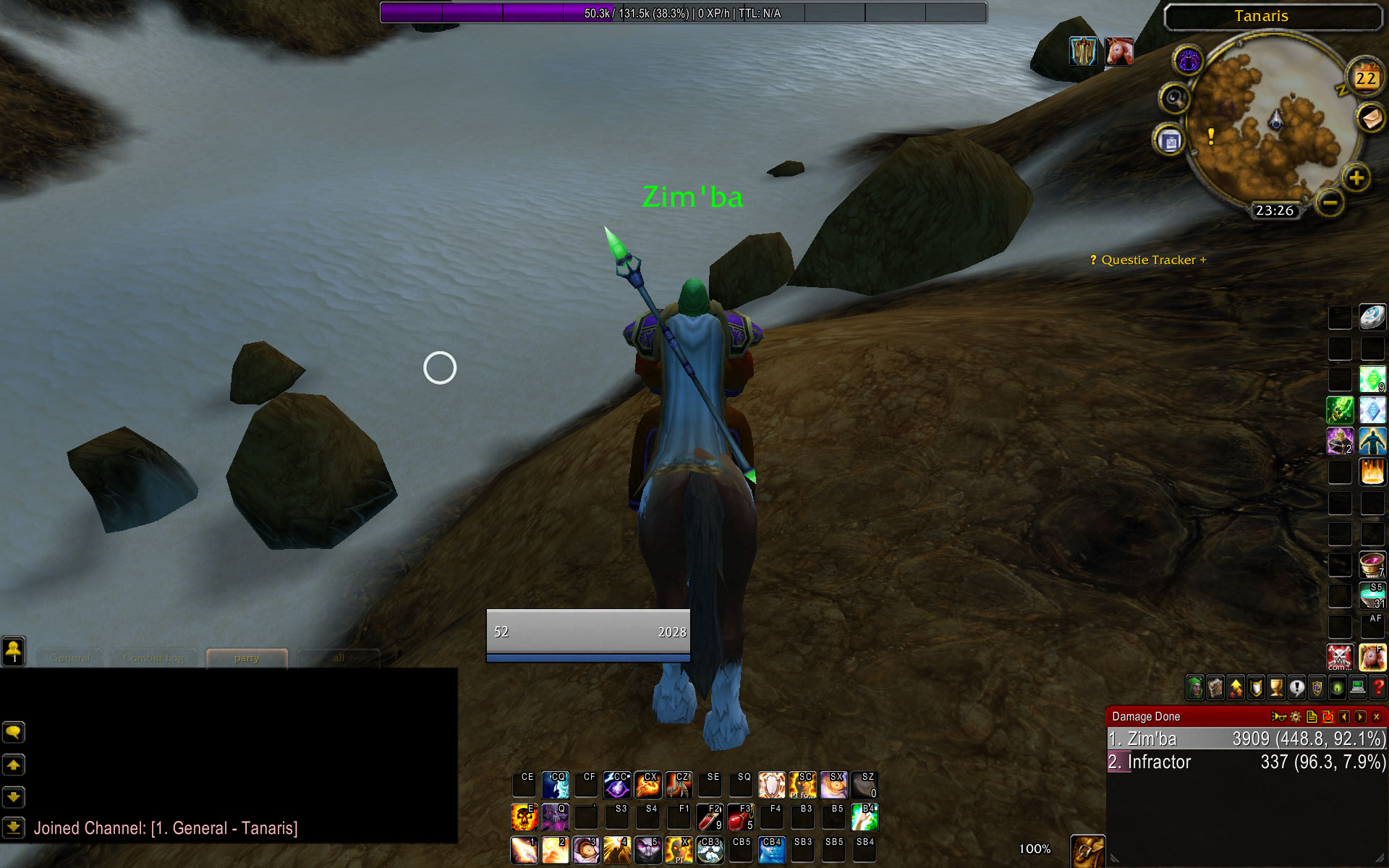
SimpleXPBar is a lightweight and clean World of Warcraft addon that tracks your leveling progress with session-based XP/h stats, Time-To-Level estimates, and a customizable 20-segment Blizzard-style progress bar.

Details

Expansion
 Wrath of the Lich King
 Categories
Developers

Having issues?
SimpleXPBar
SimpleXPBar is a lightweight, clean, and highly optimized experience bar addon for World of Warcraft. Designed with the classic Blizzard aesthetics in mind, it provides smooth session-based XP tracking and estimated time-to-level progression.
Key Features
- Blizzard-style XP bar with 20 visual segments.
- Session XP/hour tracking.
- Estimated time to level based on the current session rate.
- Draggable and lockable panel.
- Custom `SXPB.tga` minimap icon.
- Left-click minimap toggle.
- Right-click minimap menu with quick controls.
- Panel and text scaling from `0.5` to `1.5` in `0.1` steps.
- Account-wide panel position and lock state.
- Character-specific visibility, panel scale, and text scale.
- Saved settings restored after reload or login.
Slash Commands
Use /sxp or /simplexp in the chat to open control options:
/sxp lock— Lock or unlock the bar to enable/disable mouse dragging./sxp show— Display the experience bar./sxp hide— Hide the experience bar./sxp toggle— Toggle visibility on/off./sxp reset— Reset bar position back to top-center./sxp scale 1.0— Set the panel scale directly/sxp scale +0.10.1/sxp scale -0.10.1/sxp textscale 1.0/sxp textscale +0.10.1/sxp textscale -0.10.1
Installation
Download the archive and extract the
SimpleXPBarfolder.Place it into your
Interface\AddOns\directory.Reload or start the game!
SimpleXPBar update details:
- We added a minimap icon supporting left-click toggle and right-click menu
- You can now use sxp scale and sxp textscale commands or the minimap menu to adjust sizes from 0.5 to 1.5
- Added per-character visibility and scale settings alongside account-wide panel position saving
- Translated all text to English
No changelog available.
You must be logged in to leave a comment.